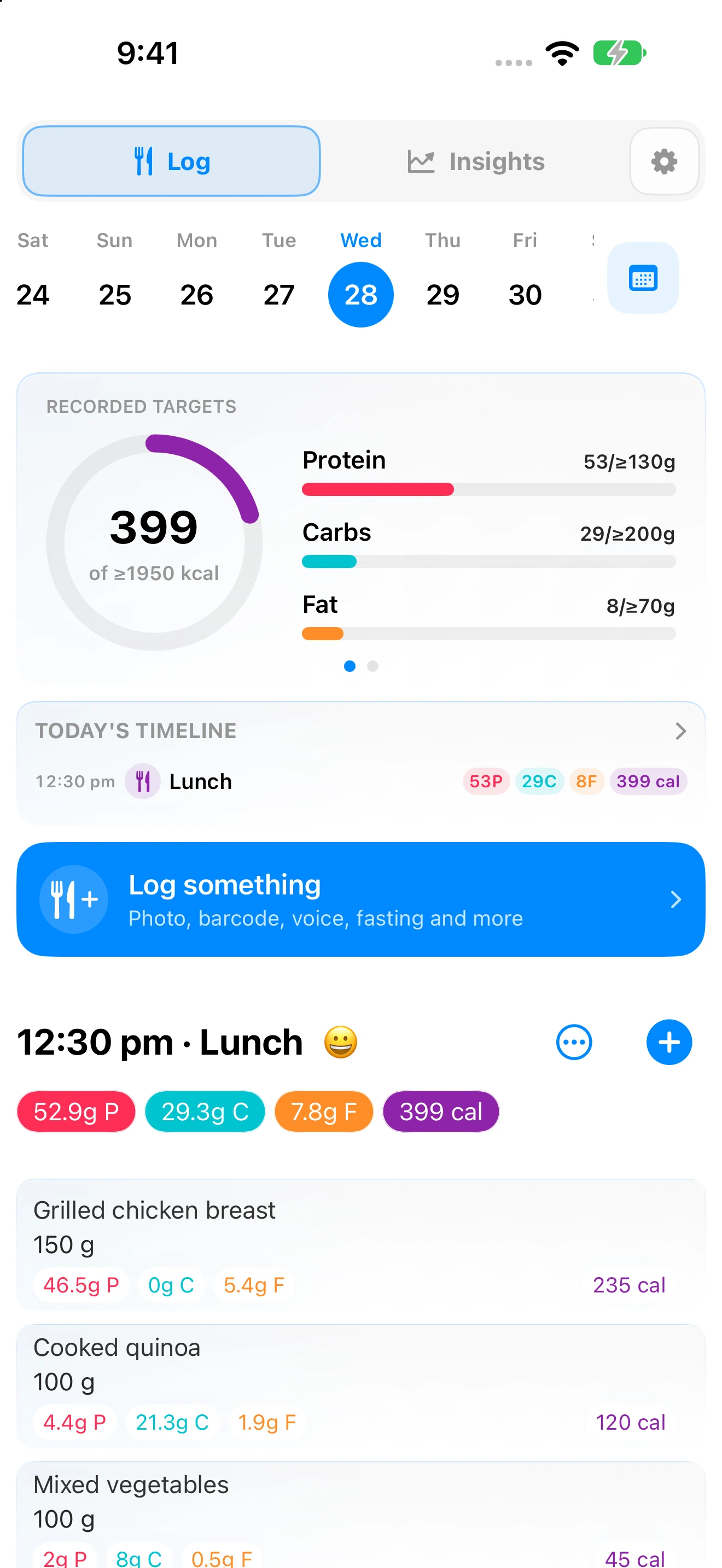
Daily nutrition dashboard
See the whole day at a glance: targets, progress, water, fasting, plans, meals, and quick logging.
LOG FOOD, SUPPLEMENTS AND DRINKS — ANY WAY YOU LIKE
Log a meal from a photo, your voice, a barcode or food label. Plan around real targets, and find what to eat. Understand your progress with detailed insights.
QUICK ANSWERS
Ask in your own words. Try “How do I copy yesterday’s breakfast?”, “change my training-day macros,” or “log a meal from a photo.”
BEST MATCHES
01 / YOUR DAY
See everything at a glance. Log or make changes with a couple taps.
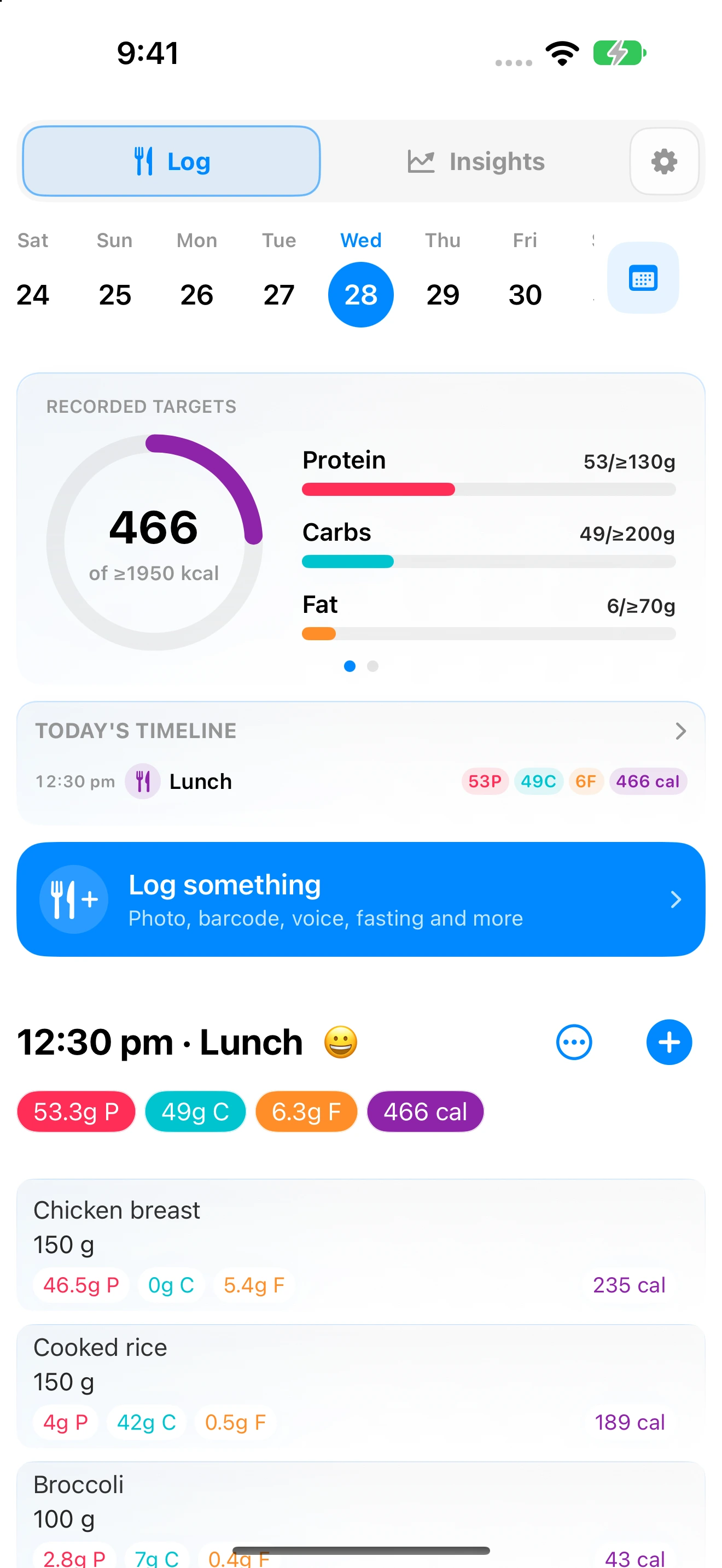
See the whole day at a glance: targets, progress, water, fasting, plans, meals, and quick logging.
Review the past or plan ahead without leaving Nutrition.
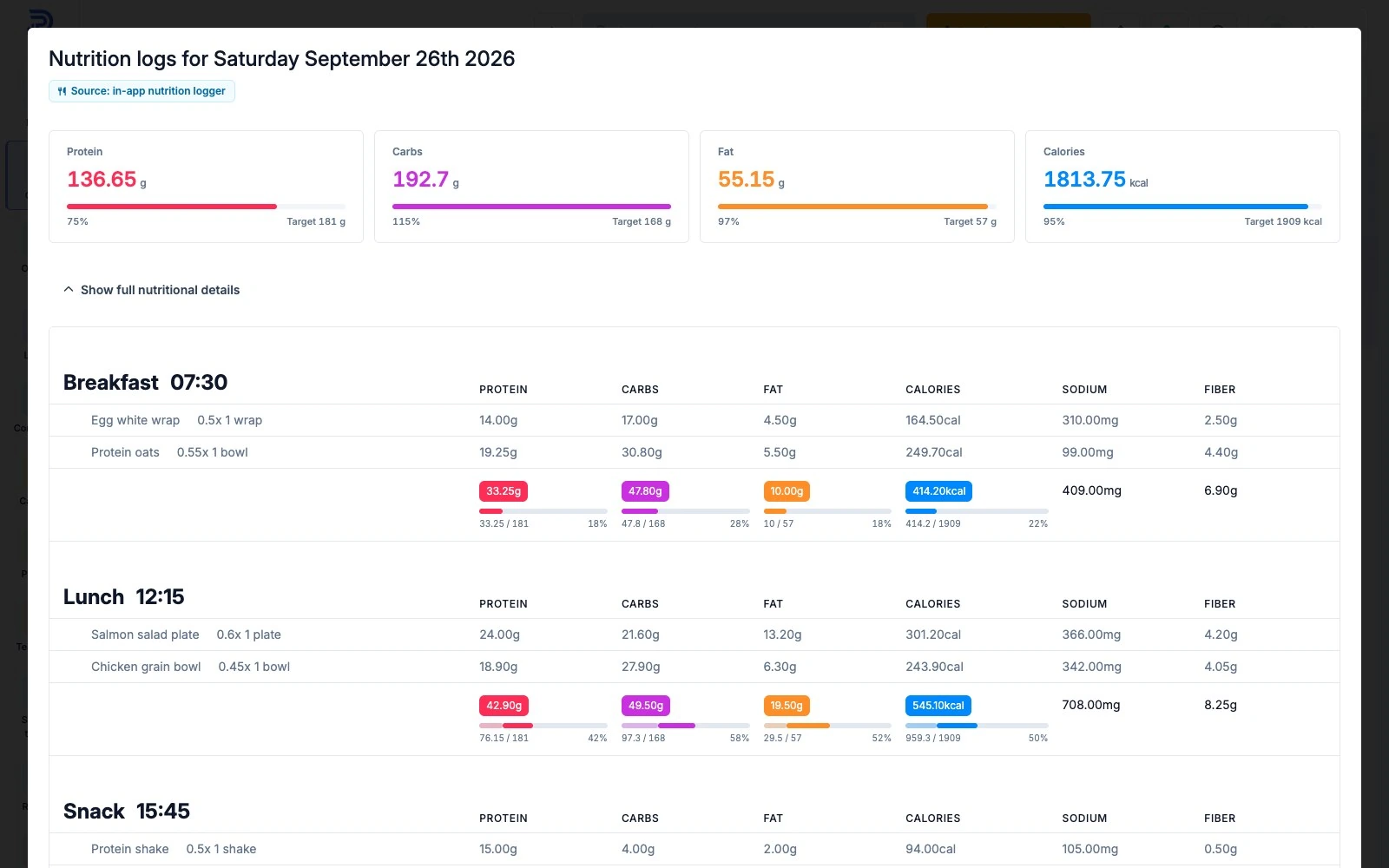
See what you have logged, your target or range, and what remains for calories and macros.
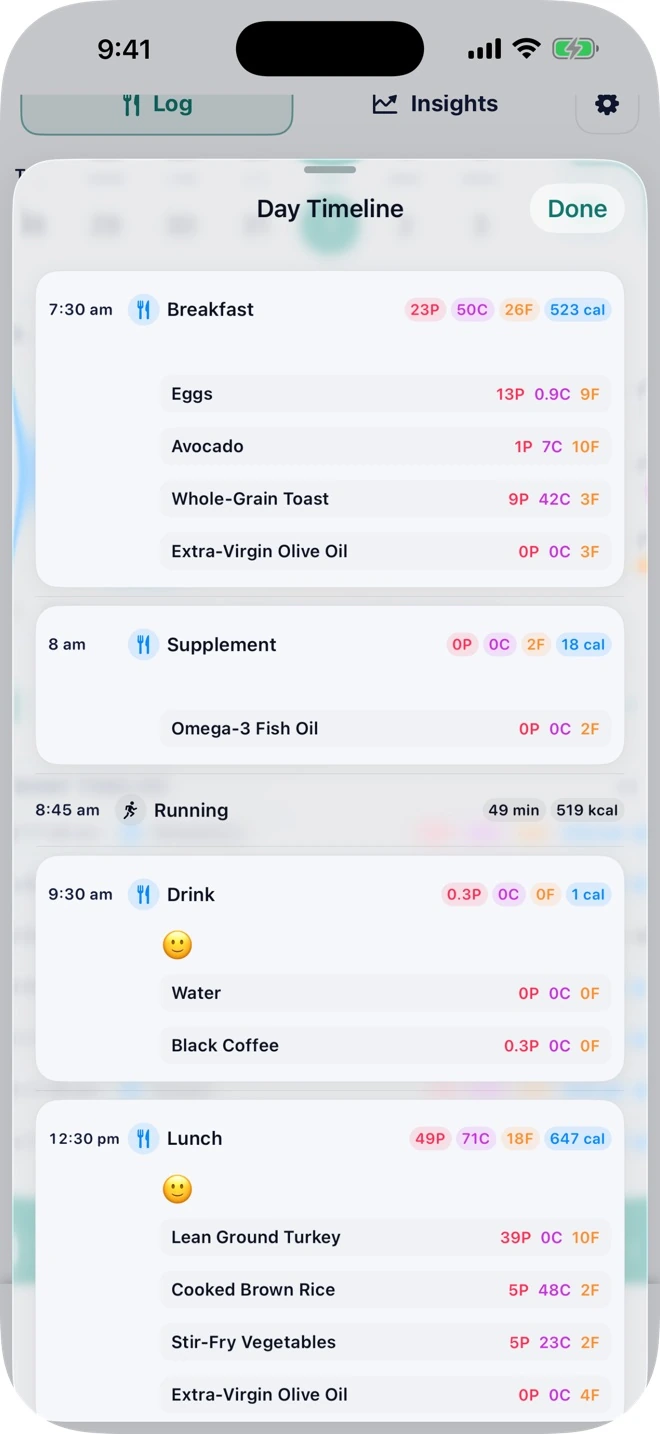
Follow nutrition and available activity in time order for a clearer picture of the day.
Keep meals, drinks, supplements, and water clear while still seeing combined daily nutrition.
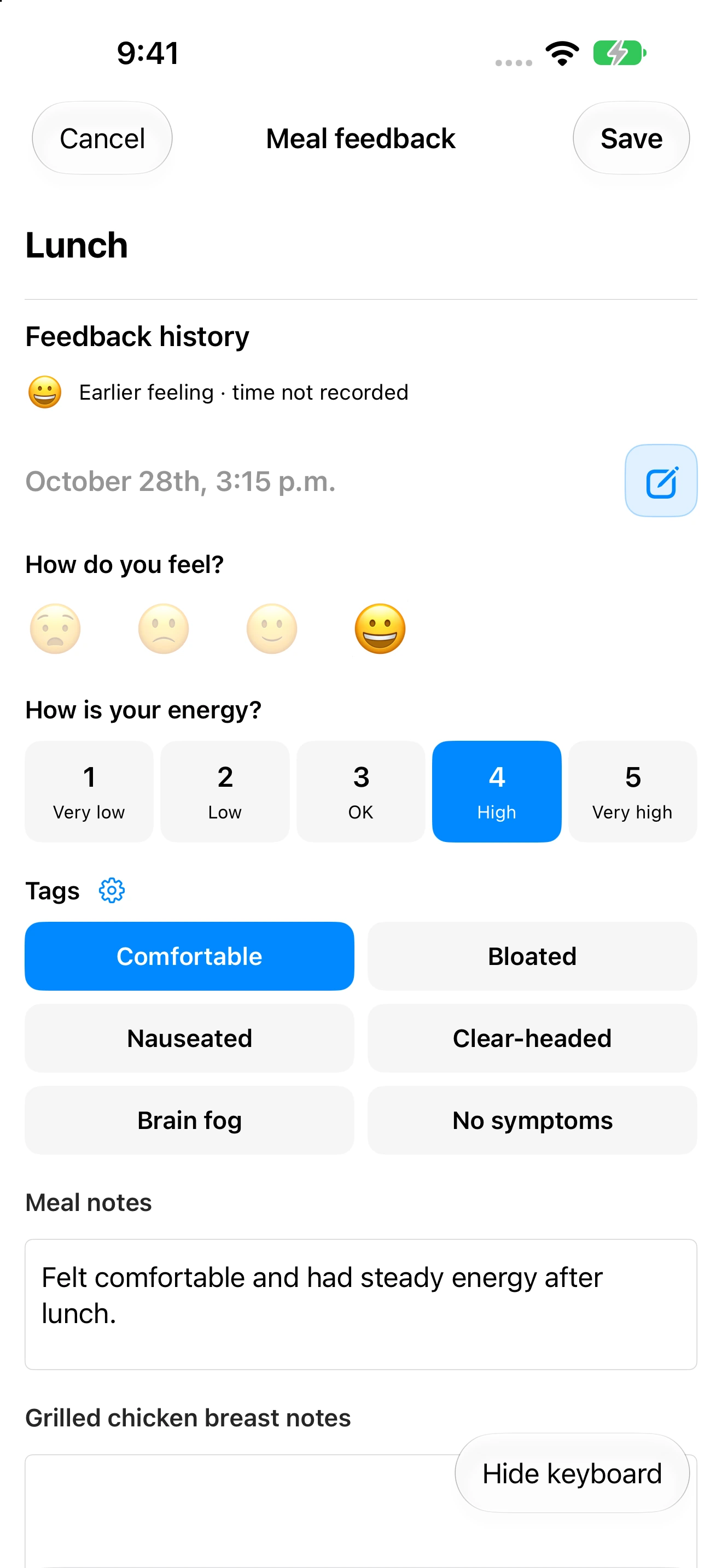
Add the context that makes a food log useful, not just a list of numbers.
Correct portions and nutrition, move an item to another meal, change item order, or delete mistakes.
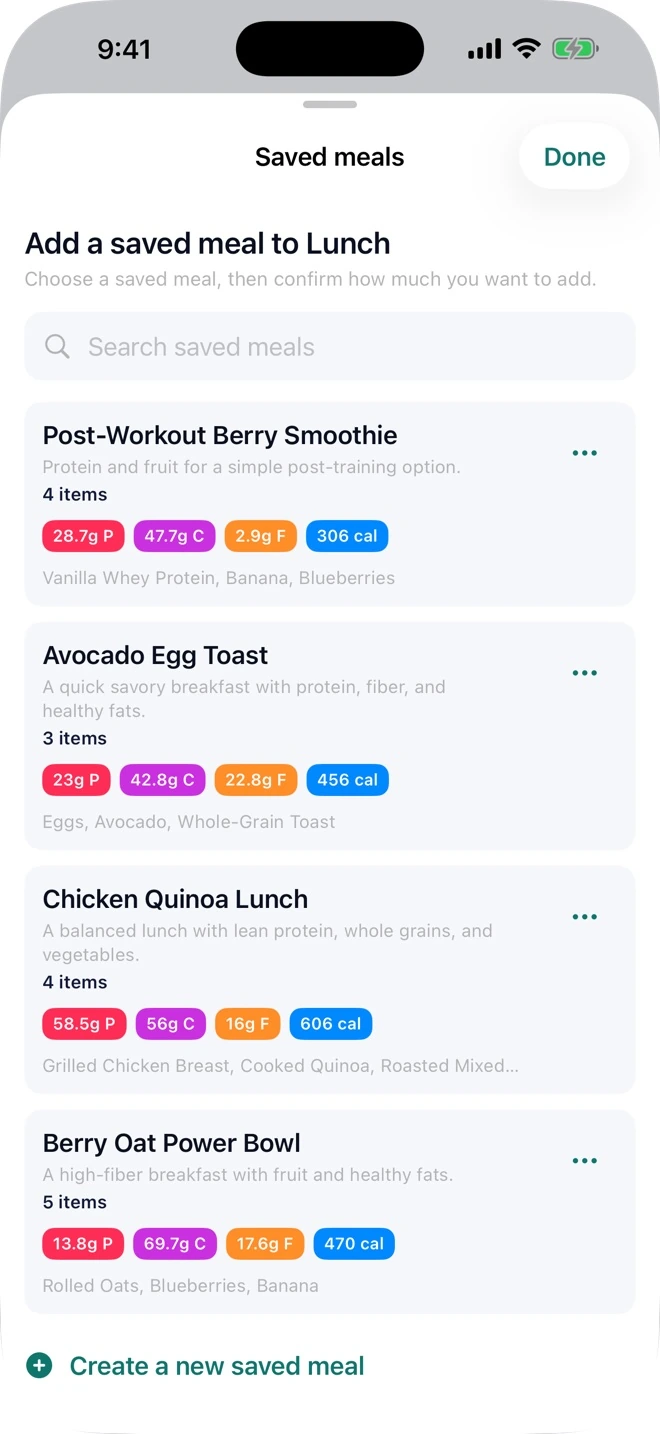
Reuse what you already logged instead of entering it again.
Share useful nutrition updates with your coaching community when Community is enabled.
No matching features in this area.
02 / FLEXIBLE LOGGING
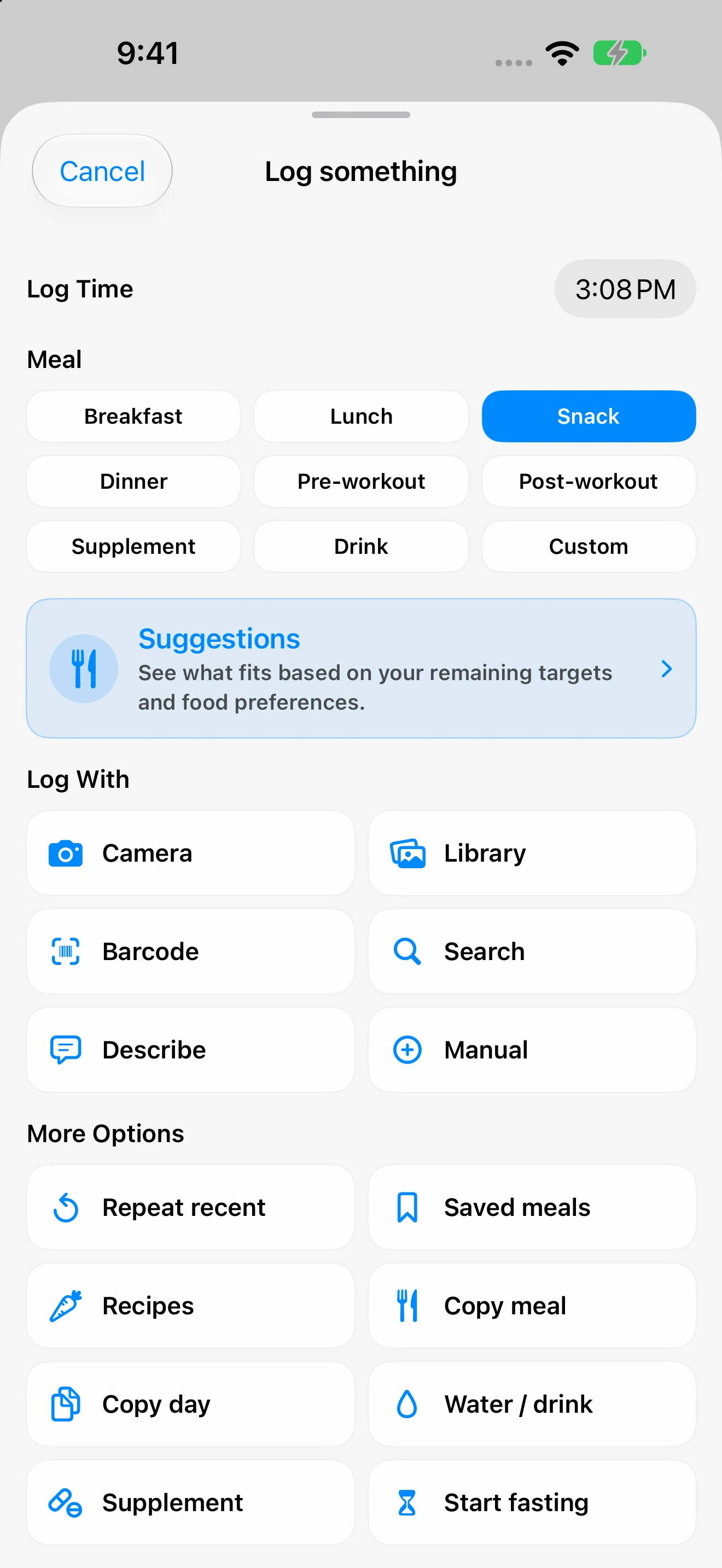
Take a photo, describe with your voice, scan a label or barcode, search, or enter directly.
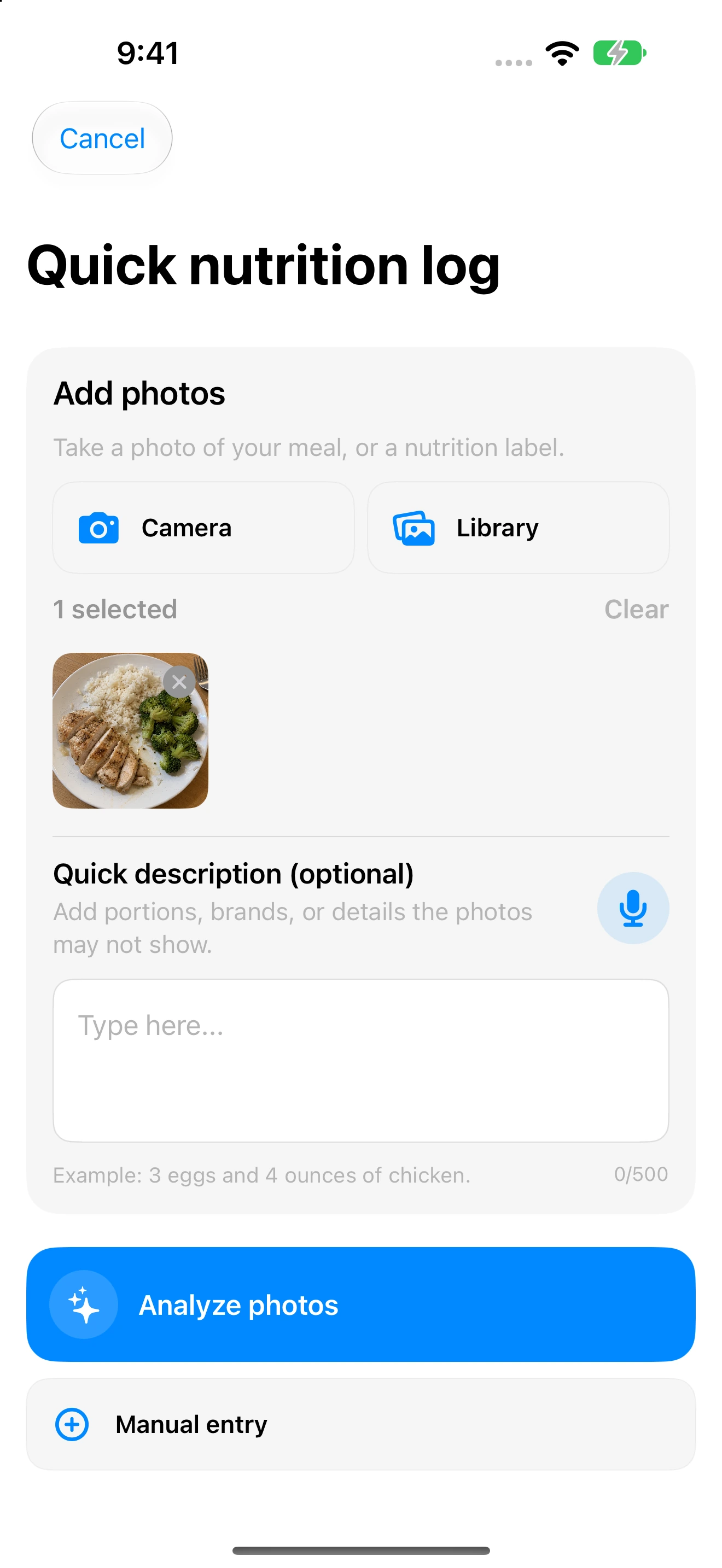
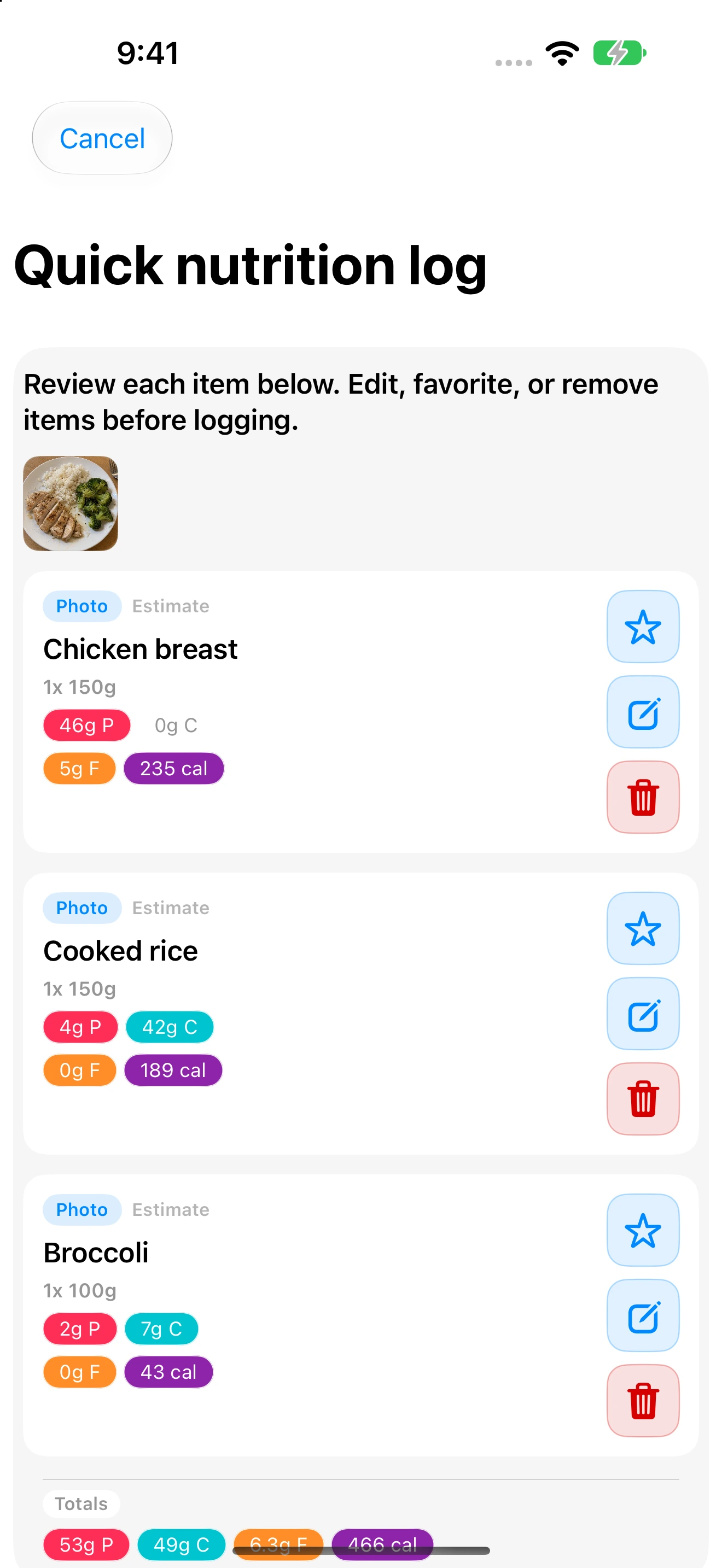
Turn up to ten meal photos into an editable food list—the fastest way to log a plate.
Photograph a nutrition label and let Pono prepare the serving and nutrition details for review.
Type or speak a natural description when a photo is inconvenient.
AI prepares a draft; you stay in control of every item and number.
Find saved foods and broader database results in one search.
Open a packaged food quickly from its barcode, with label-photo and manual fallbacks when no match exists.
Create exactly the food, drink, or supplement you need when no result is suitable.
Log the essential calories and macros without completing every optional nutrient field.
Match the amount you actually had using familiar serving, weight, and volume choices.
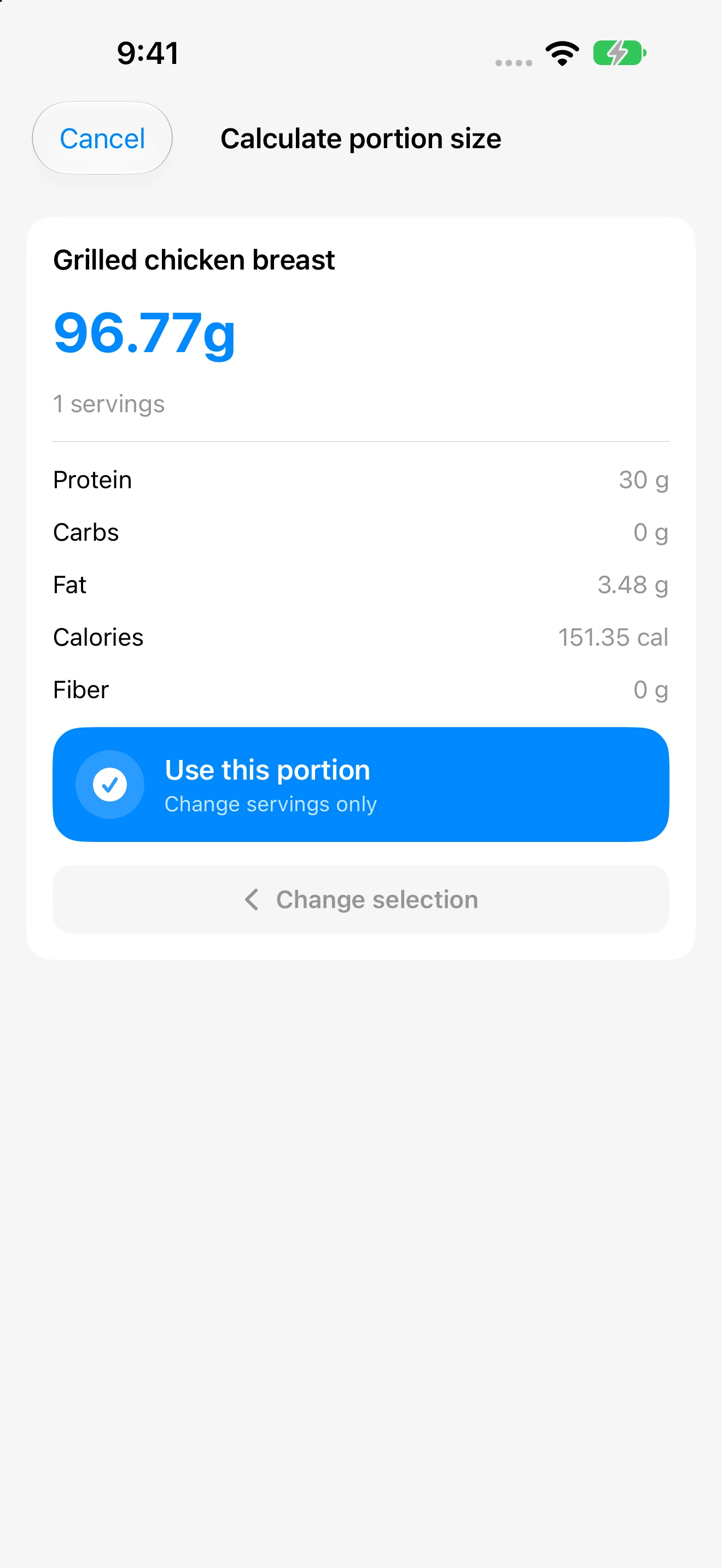
Ask Pono how much of one food would provide a chosen amount of protein, carbs, fat, calories, or fiber.
Stage up to 20 foods, drinks, supplements, saved meals, or recipe items before logging one complete meal.
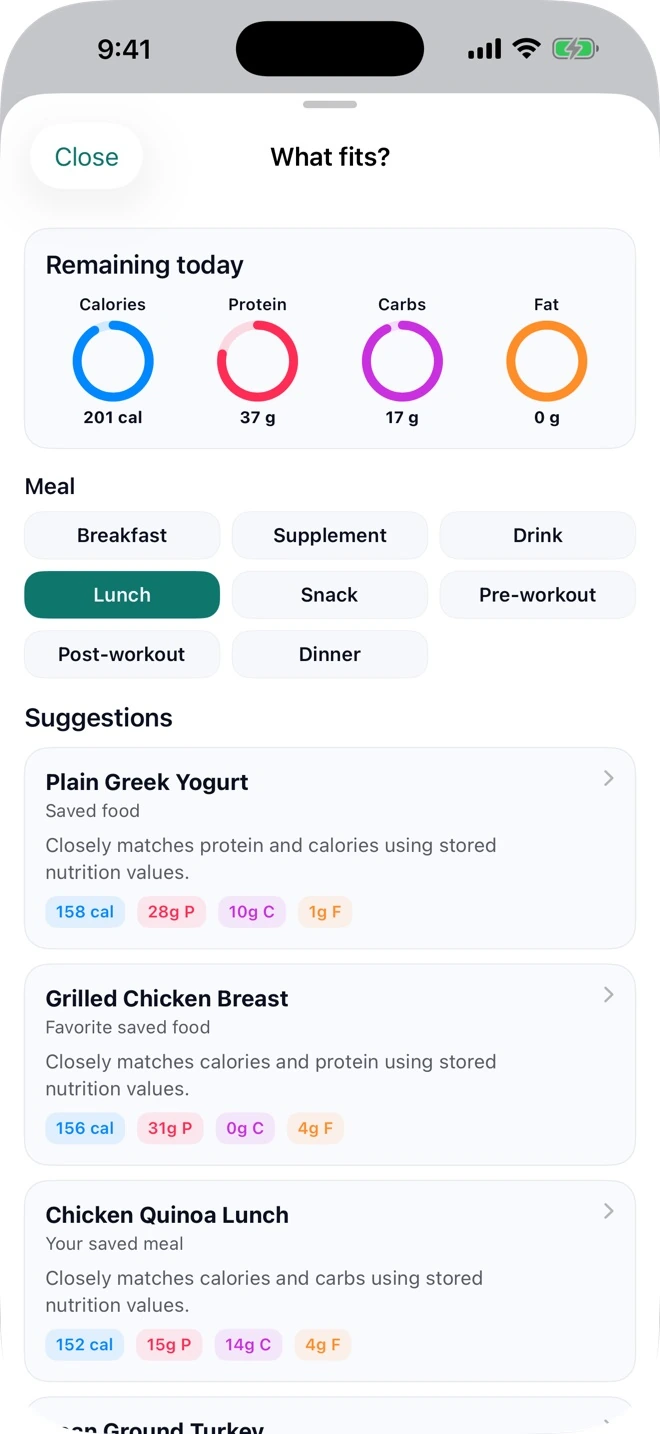
See consumed, basket, projected, and remaining totals before anything is logged.
Keep useful foods in your personal library and place frequent choices at the top.
Send a questionable external result to Pono for review without changing your own log.
Pono keeps queued work visible and avoids silently losing a meal when service is interrupted.
No matching features in this area.
03 / SAVE TIME
Log effortlessly with recent foods, saved meals, recipes, auto-schedules and reminders.
Bring back a recent food, meal, or day in a few taps.
Save a reusable group of foods such as a usual breakfast, shake, or restaurant order.
Turn a meal you already logged into a reusable saved meal.
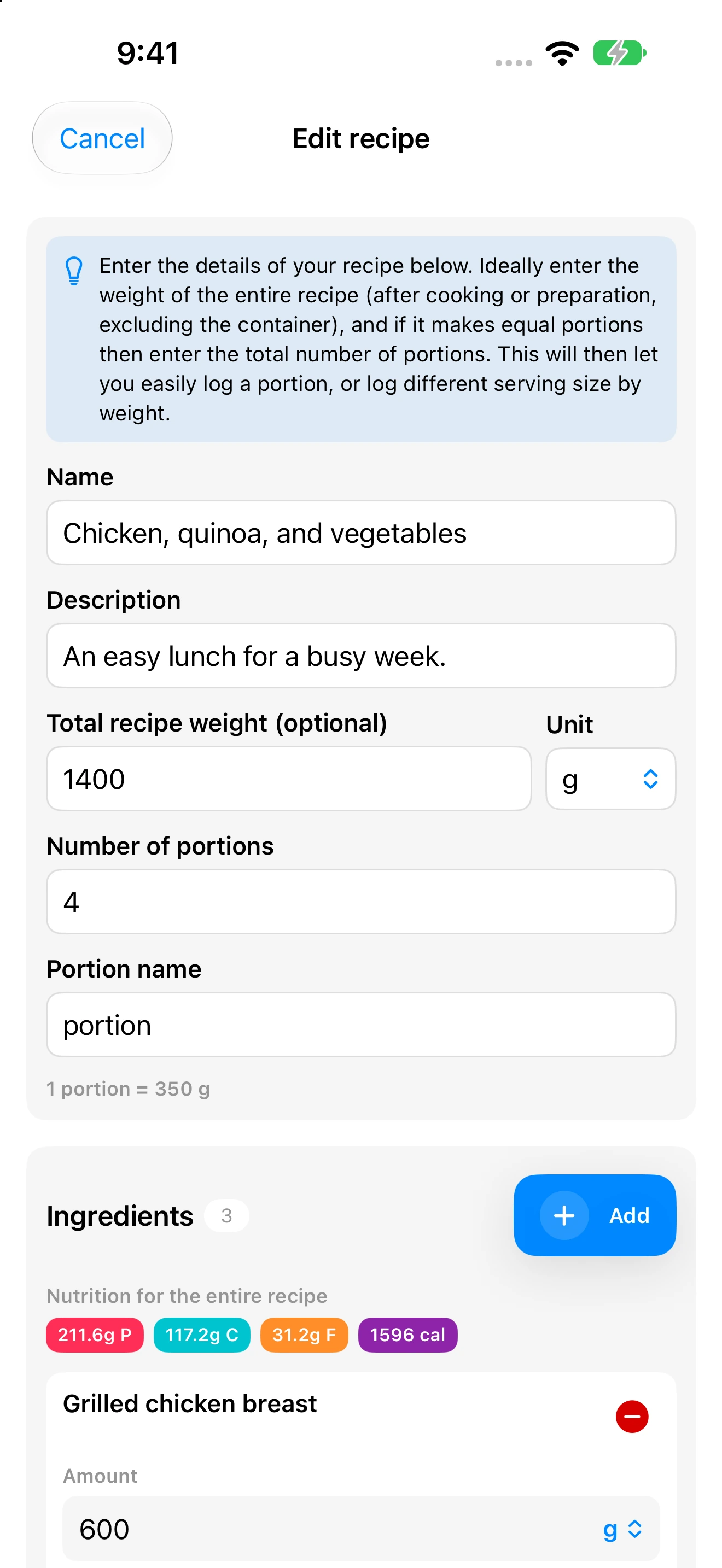
Build a reusable recipe from ingredients you enter or search for yourself.
Photograph a written recipe or finished dish and turn it into an editable AI draft.
Paste a recipe-page link to prepare an editable ingredient draft.
Nothing imported or estimated becomes a saved recipe until you check it.
Keep a recipe as one tidy entry or add every ingredient separately for individual editing.
Log the amount you actually ate without changing the original recipe or saved meal.
Put a food or saved meal on selected days and times so routine logging takes less effort.
Decide whether a schedule asks first or logs automatically, while keeping manual control.
Receive useful prompts only when the matching meal, water, or fasting action still needs attention.
No matching features in this area.
04 / PERSONAL COACHING
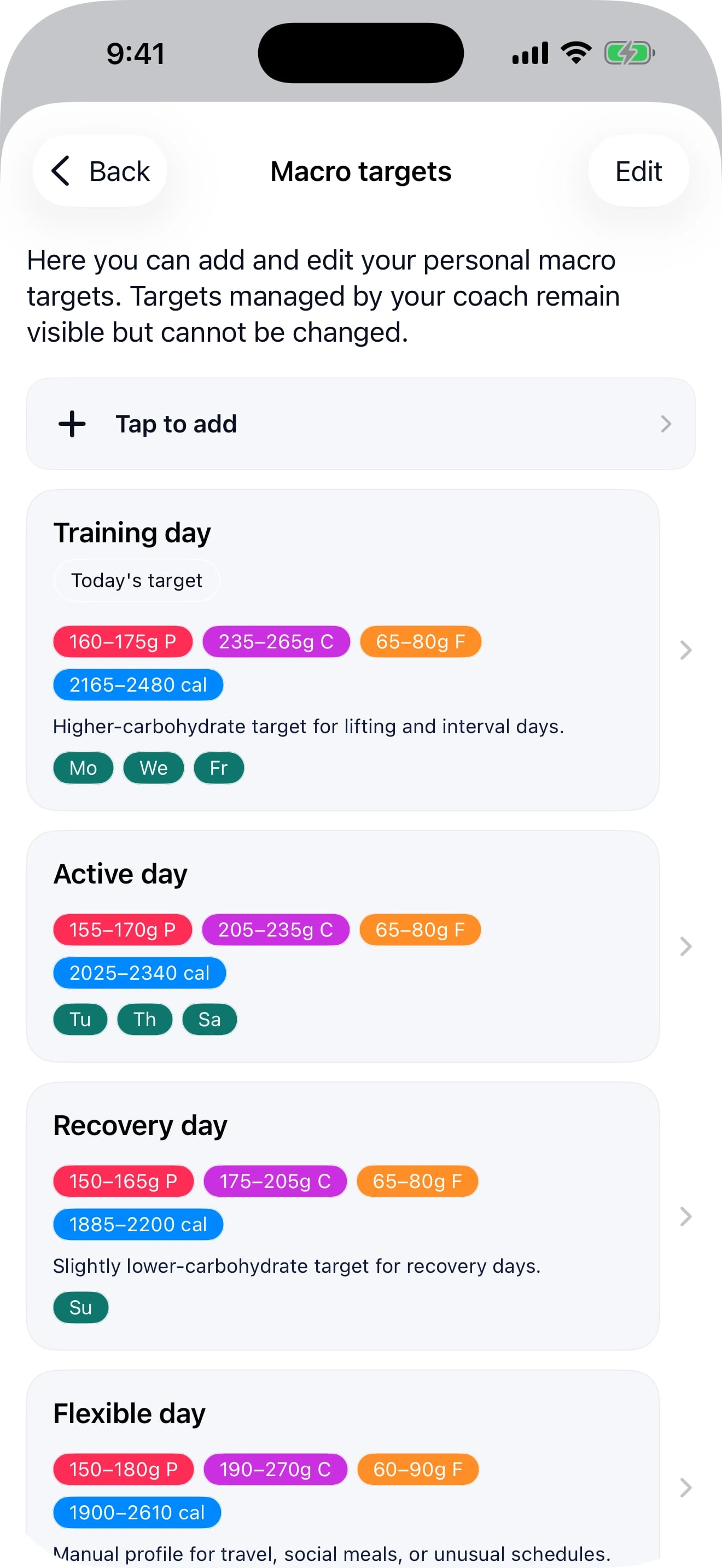
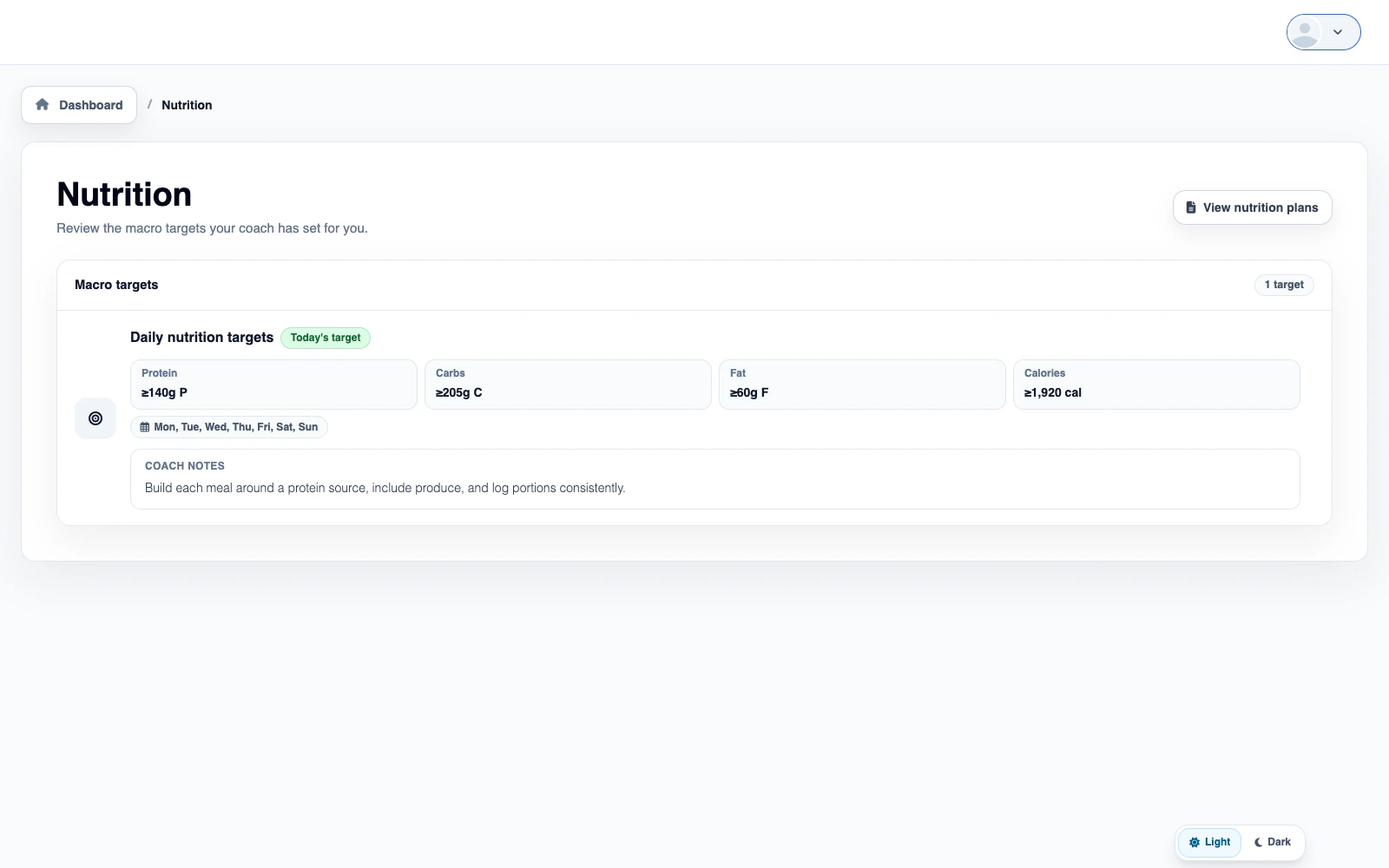
Create targets on any schedule you like, and select them automatically or manually.
Use exact goals, ranges, minimums, maximums, or flexible nutrients for different coaching styles.
Start with calories, adjust the protein, carb, and fat split, and let Pono calculate the grams.
Automatically match targets to training and rest days, or leave a target available for manual choice.
Choose whether carb progress is shown as total carbs or net carbs throughout Nutrition.
Pono clearly marks a net-carb number as estimated when a food lacks one or more deduction details.
Record how you eat, what must be avoided, and the foods and cuisines you prefer.
Keep universal must-avoid rules while changing favorites and dislikes for profiles such as training and rest days.
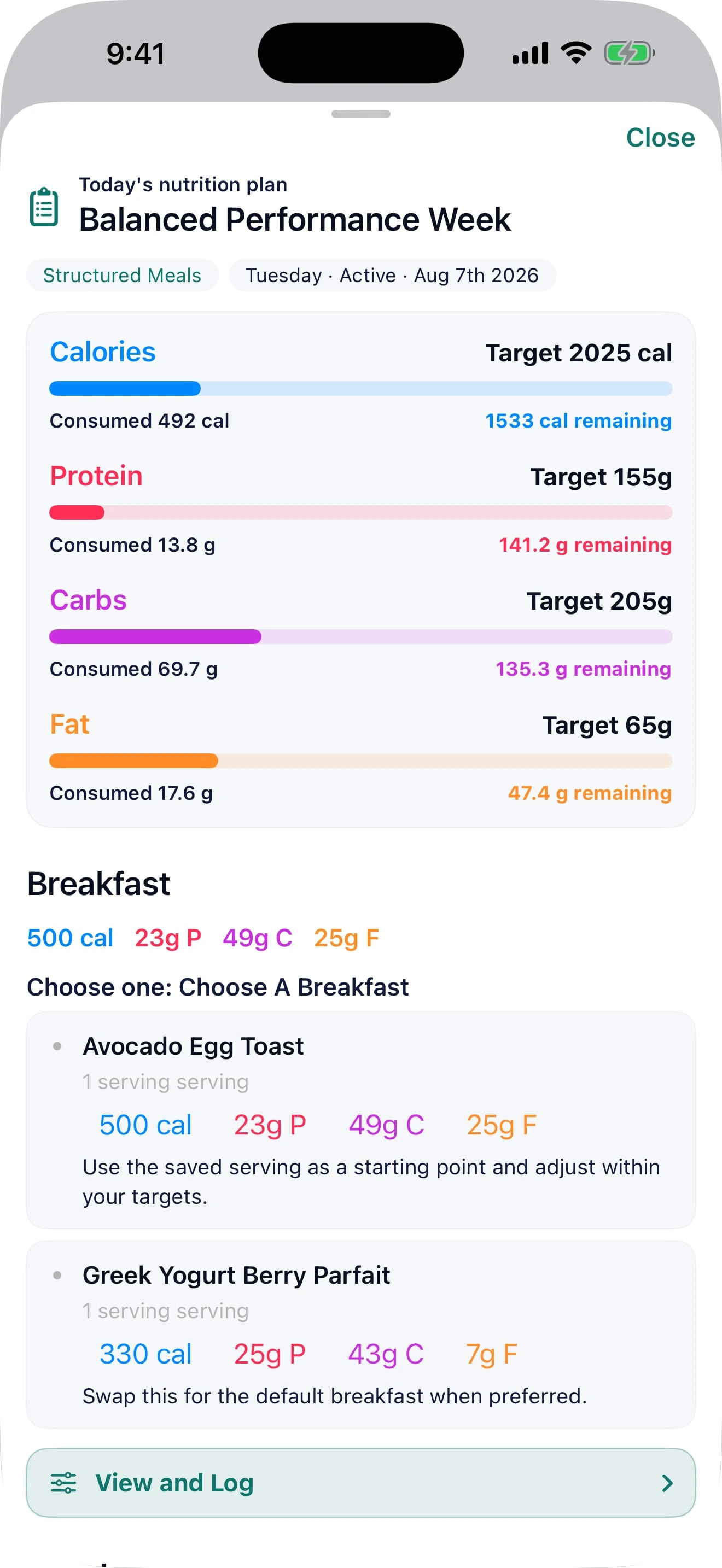
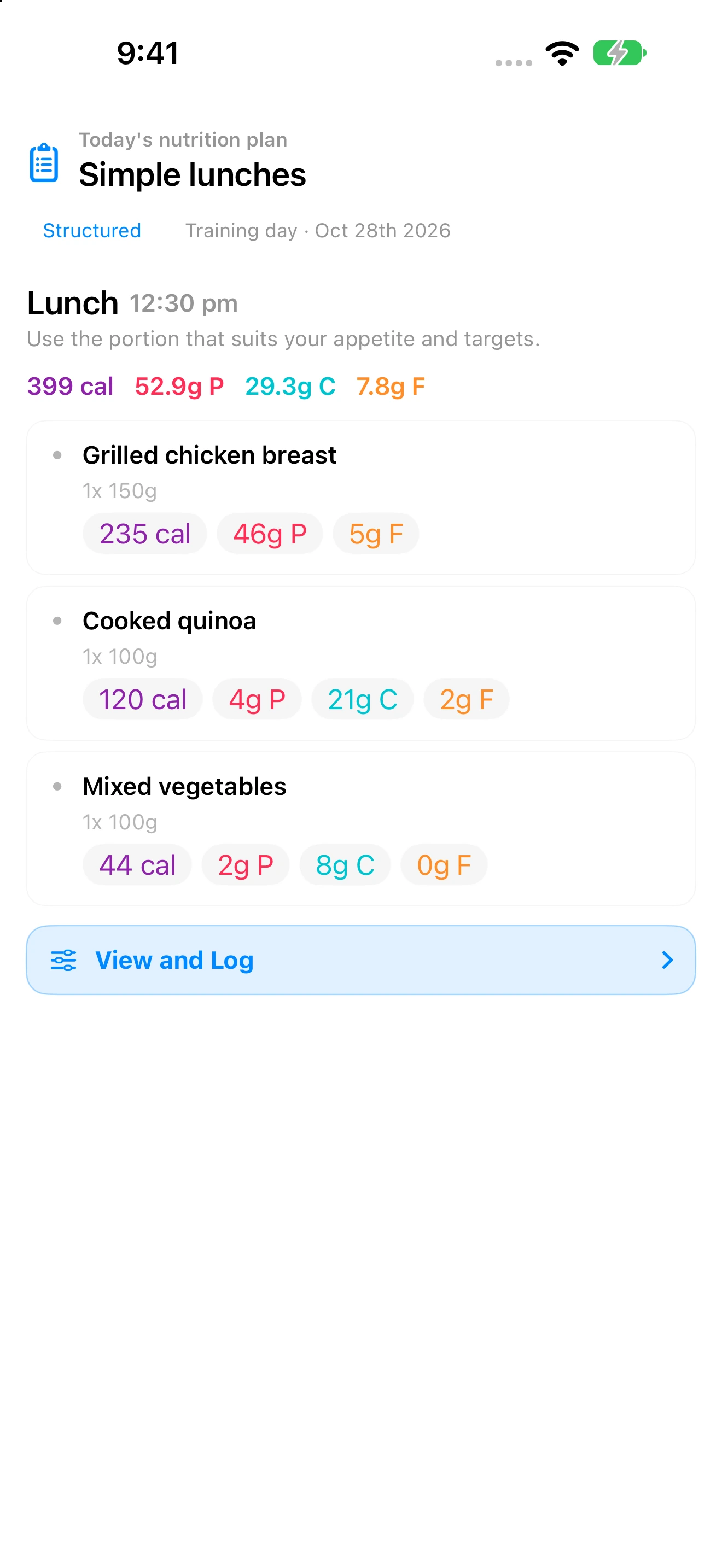
See the plan assigned for the day alongside normal logging and macro progress.
Understand the planned nutrition, preparation guidance, and available choices before logging.
Follow the plan as written or use the coach-approved flexibility built into the assignment.
Compare planned meals and macro targets with what was actually logged.
No matching features in this area.
05 / THE BIGGER PICTURE
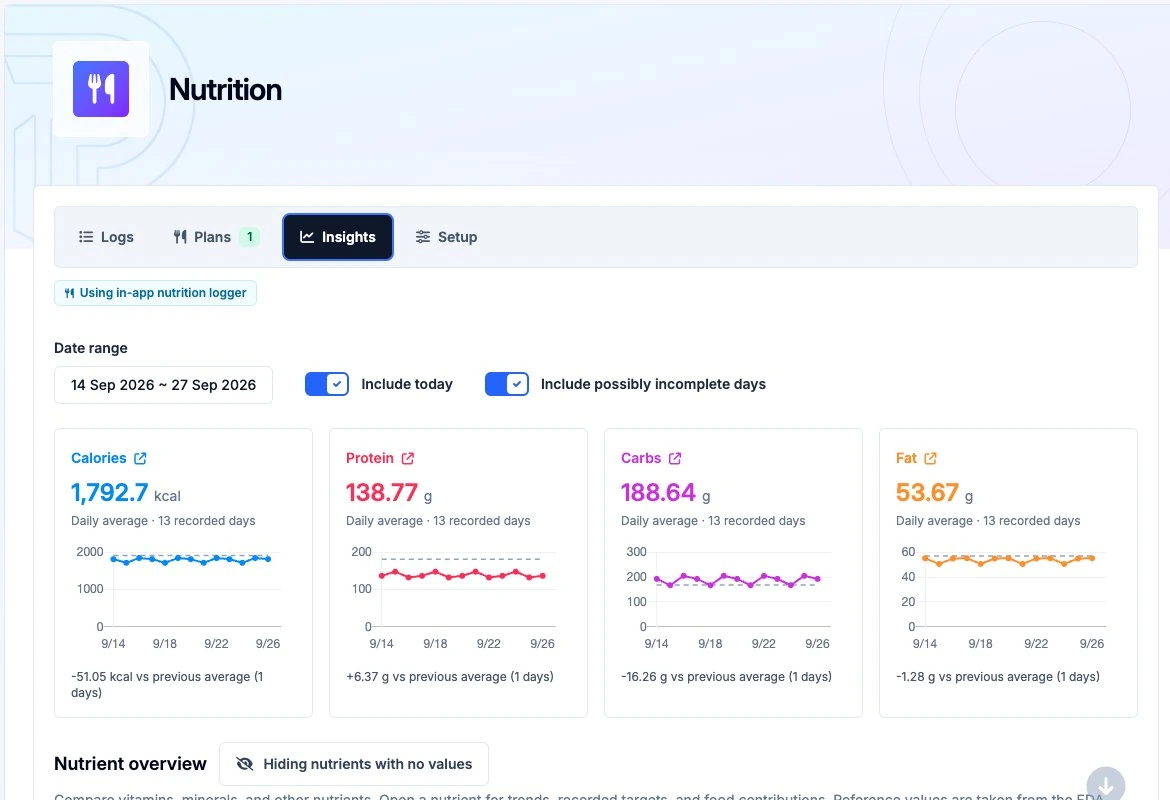
In-depth insights with trends, consistency, water, supplements, fasting and more.
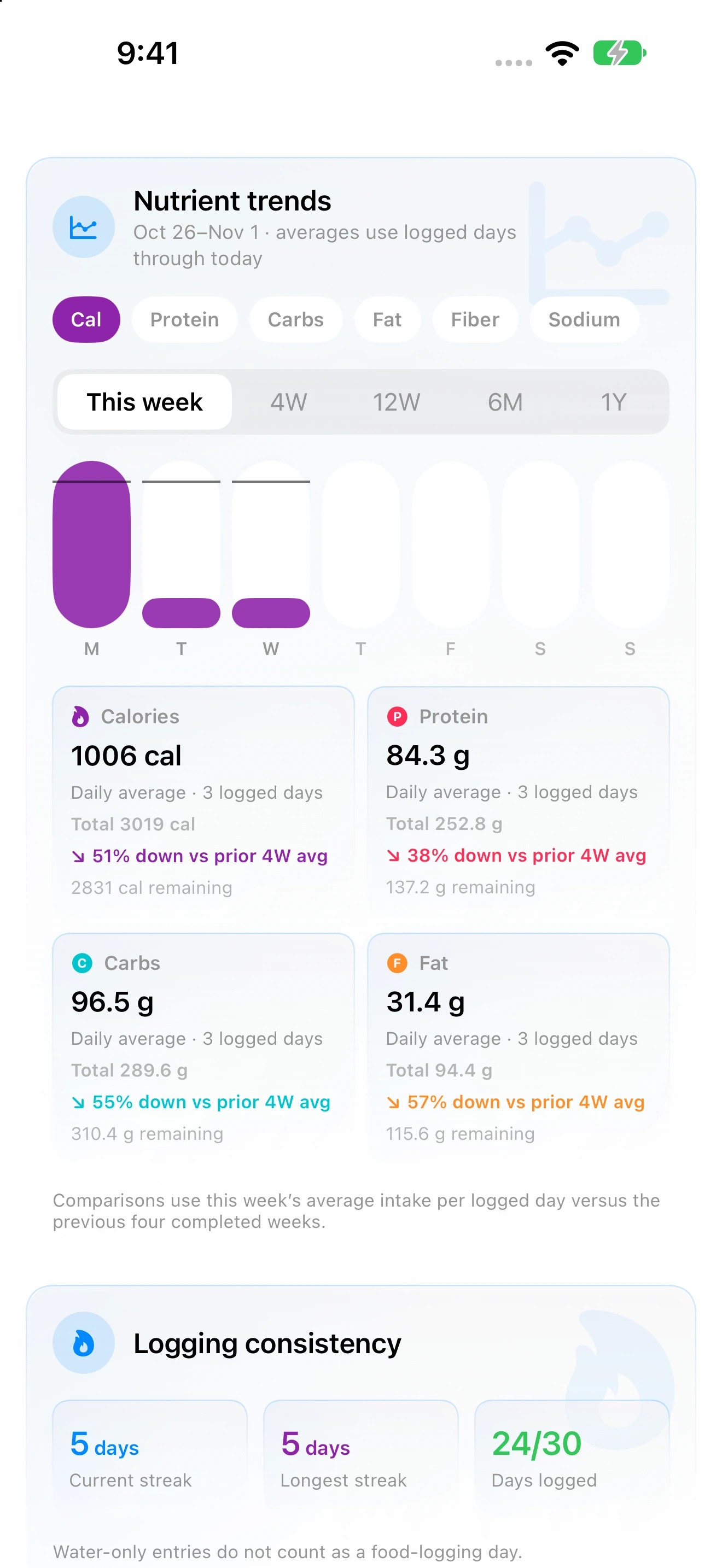
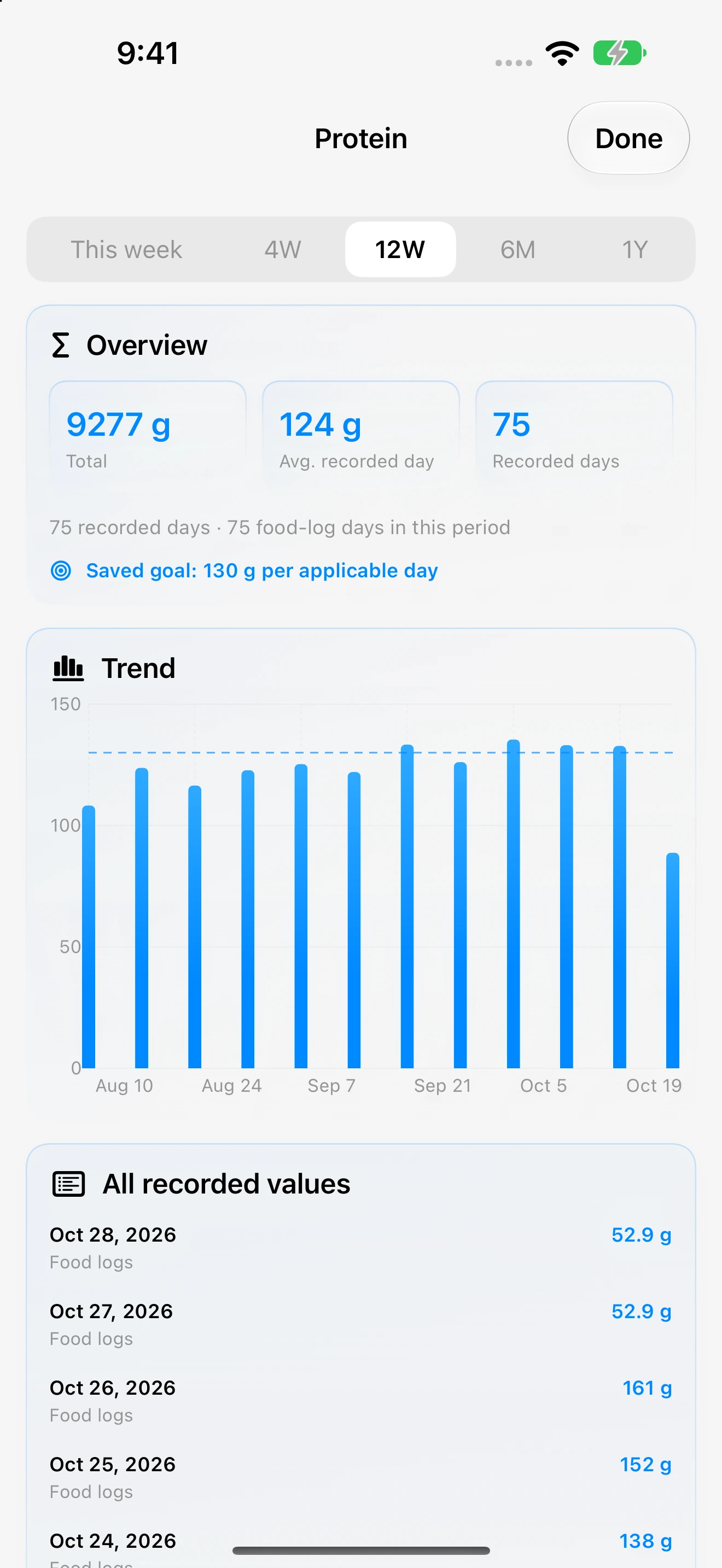
Explore calories, protein, carbs, fat, fiber, and sodium across a week or a longer period.
Compare the current week with your target and your previous four completed weeks.
See your current run of logged days and your longest consistency streak.
See which days include food logging and jump straight to any date.
Scan a full year of food-logging consistency in one compact view.
Review recent logging frequency and water patterns by entry type.
Track water against an available goal in milliliters or fluid ounces.
Keep fasting times and progress beside the rest of the nutrition day.
Add a target duration and useful context to each completed fast.
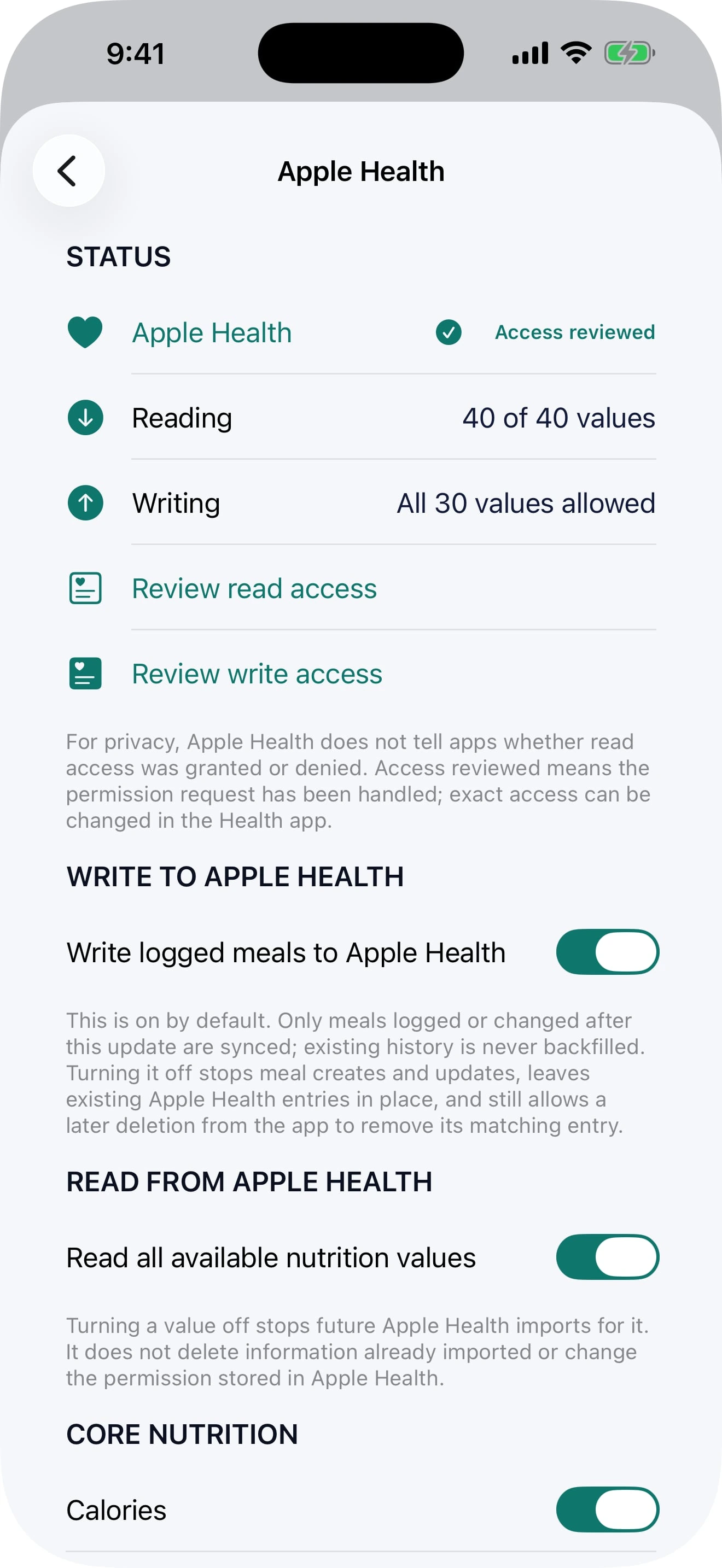
Choose which available Apple Health nutrition values Pono may bring into your coaching record.
Send newly logged or changed meals to Apple Health without backfilling old history.
Turn off future transfers without deleting information already stored in either place.
Google Health Connect on Android will provide the corresponding health-data connection when Android parity is released.
No matching features in this area.
FREQUENTLY ASKED QUESTIONS
Ultra fast and simple to use, but powerful and flexible when you need it.
No — the Pono nutrition tracker brings food, water and other drinks, supplements, fasting, targets, meals and recipes, auto-logging, reminders, coach-assigned nutrition plans, and detailed insights and analytics into one app experience.
Clients log in the app nutrition tracker. Coaches can set targets, assign nutrition plans, and review detailed logs and track adherence.
Very! You can use AI logging to take a photo, dictate a food or meal with your voice, or type something in to describe it. When taking a photo you can optionally add a description — for example, add "4.5 oz" to indicate the exact service size. PonoAI analyses and quickly prepares an editable draft that lets you review (and if necessary adjust) the foods, servings, and nutrition data before choosing to log.
Yes, you can switch between total and net carbs. The app will mark a value as estimated when a food does not include every deduction detail.
Yes, you can allow the app to optionally read and/or write nutrition and meal data from and to Apple Health on iPhone and Google Health Connect on Android.
Start your free trial
Try the complete platform free for 14 days. If you would like to chat first then book a demo and we can talk through your business, and how Pono can help you.