See what needs their attention
Notices show things like check-in deadlines, required forms, unread messages, and upcoming appointments.

CLIENT DASHBOARDS
Give clients their training, nutrition, check-ins, messages, progress, and everything else you provide, in the app and on your website. Set it up for fitness, nutrition, or contest prep coaching.
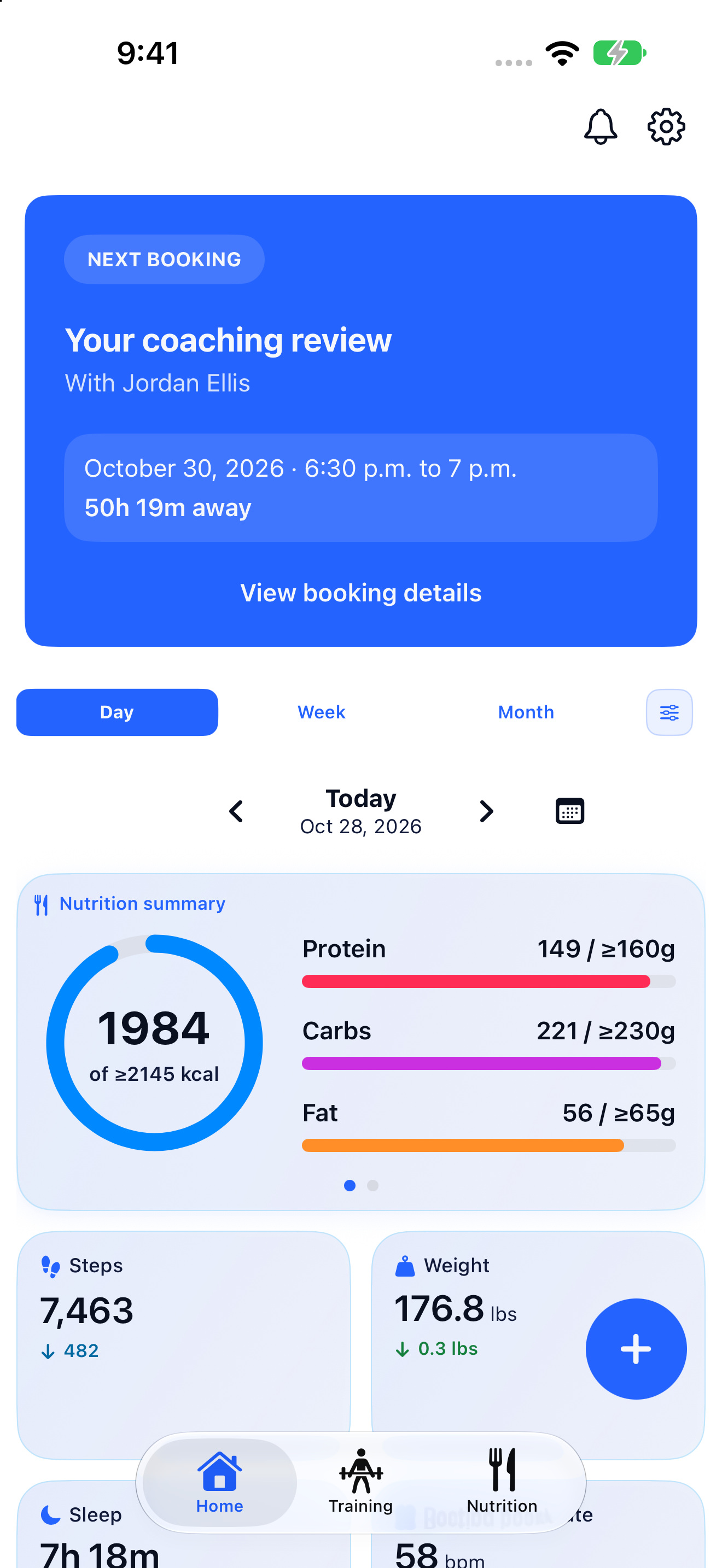
01 / DAILY COACHING
Clients can find their check-ins, forms, messages, habits, plans, appointments, and everything else you give them, all in one place.
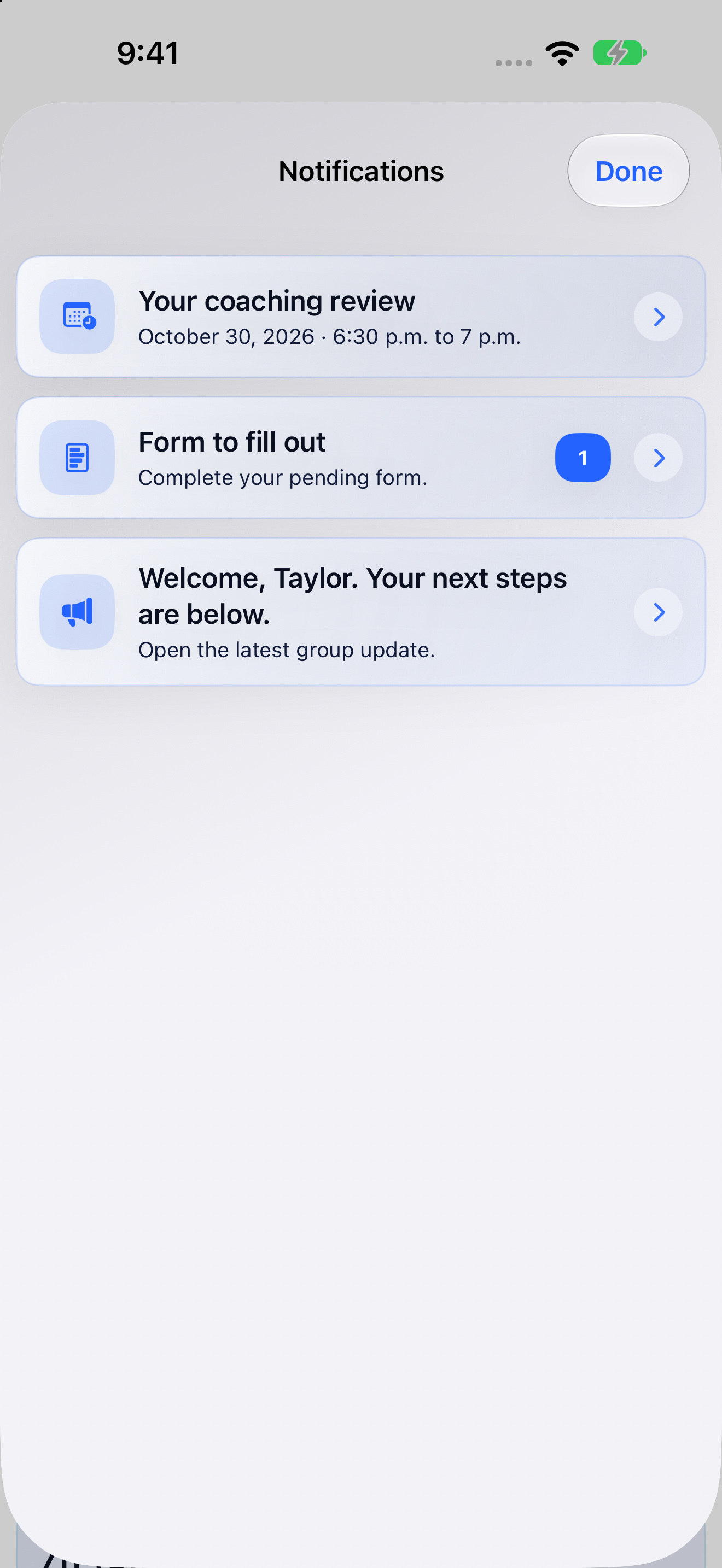
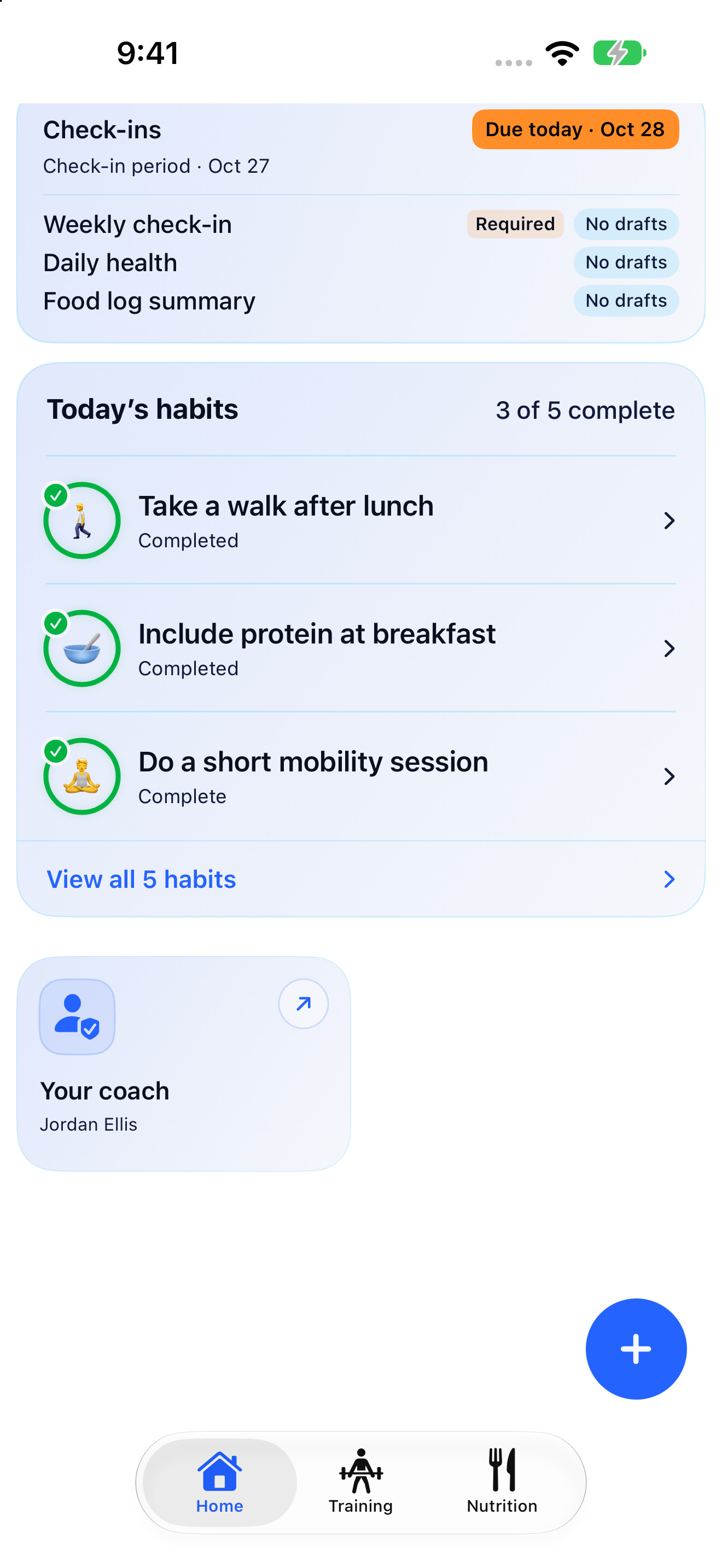
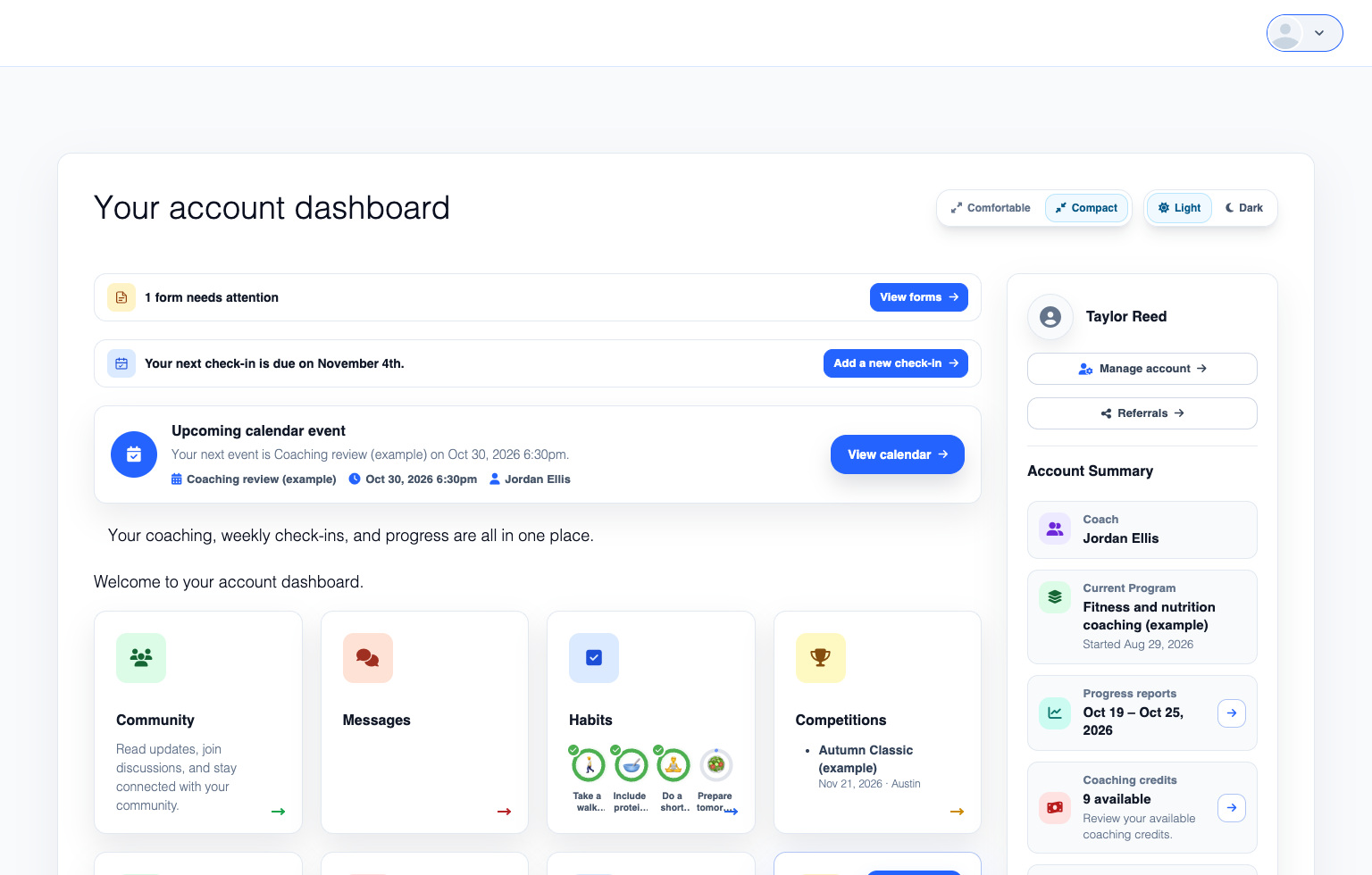
Notices show things like check-in deadlines, required forms, unread messages, and upcoming appointments.
They can open a check-in, read a message, follow their training plan, and more, from their dashboard or the app’s tabs.
Give them resources, articles, custom pages, community access, or other content as part of their program.
02 / PROGRESS
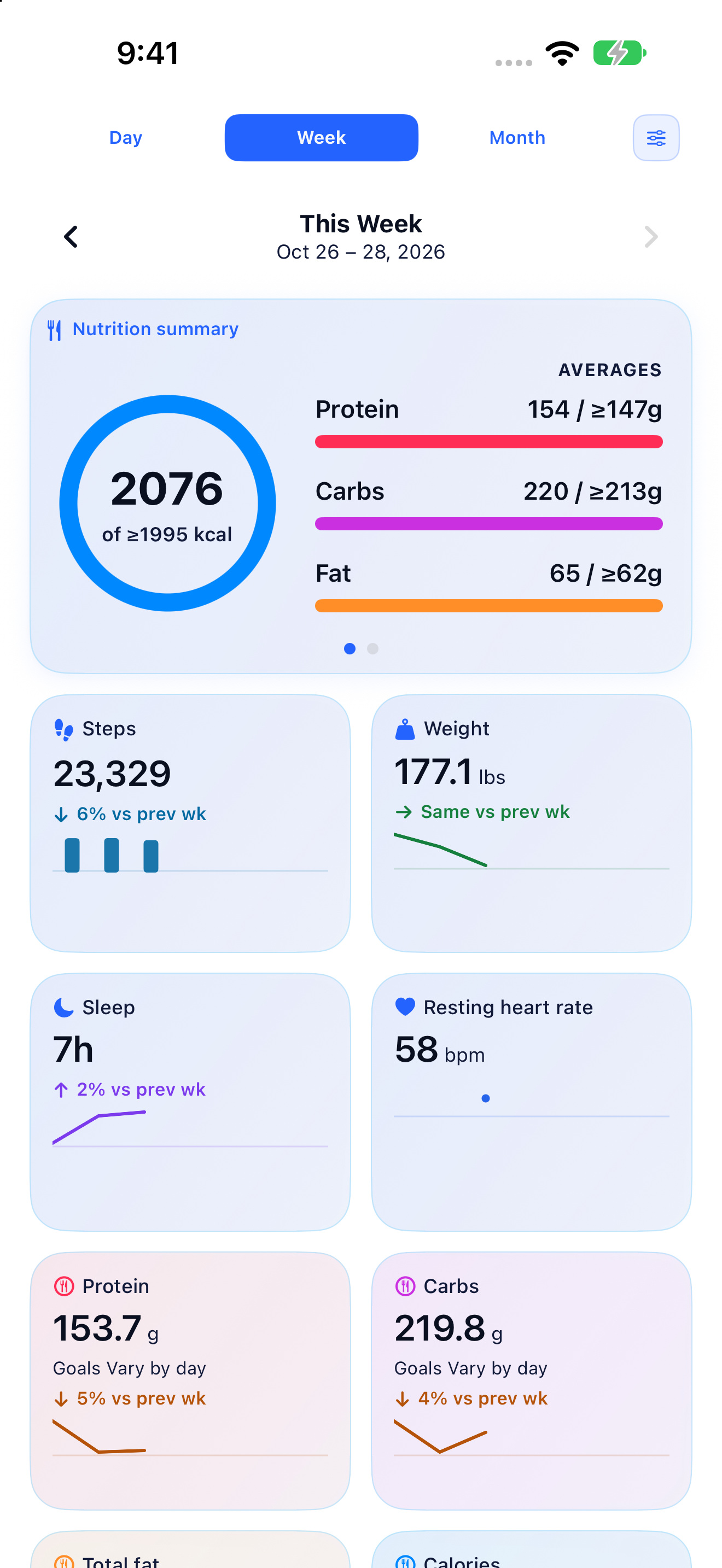
The app’s progress widgets are fully customizable. Clients choose what to show, where it goes, and how it looks.
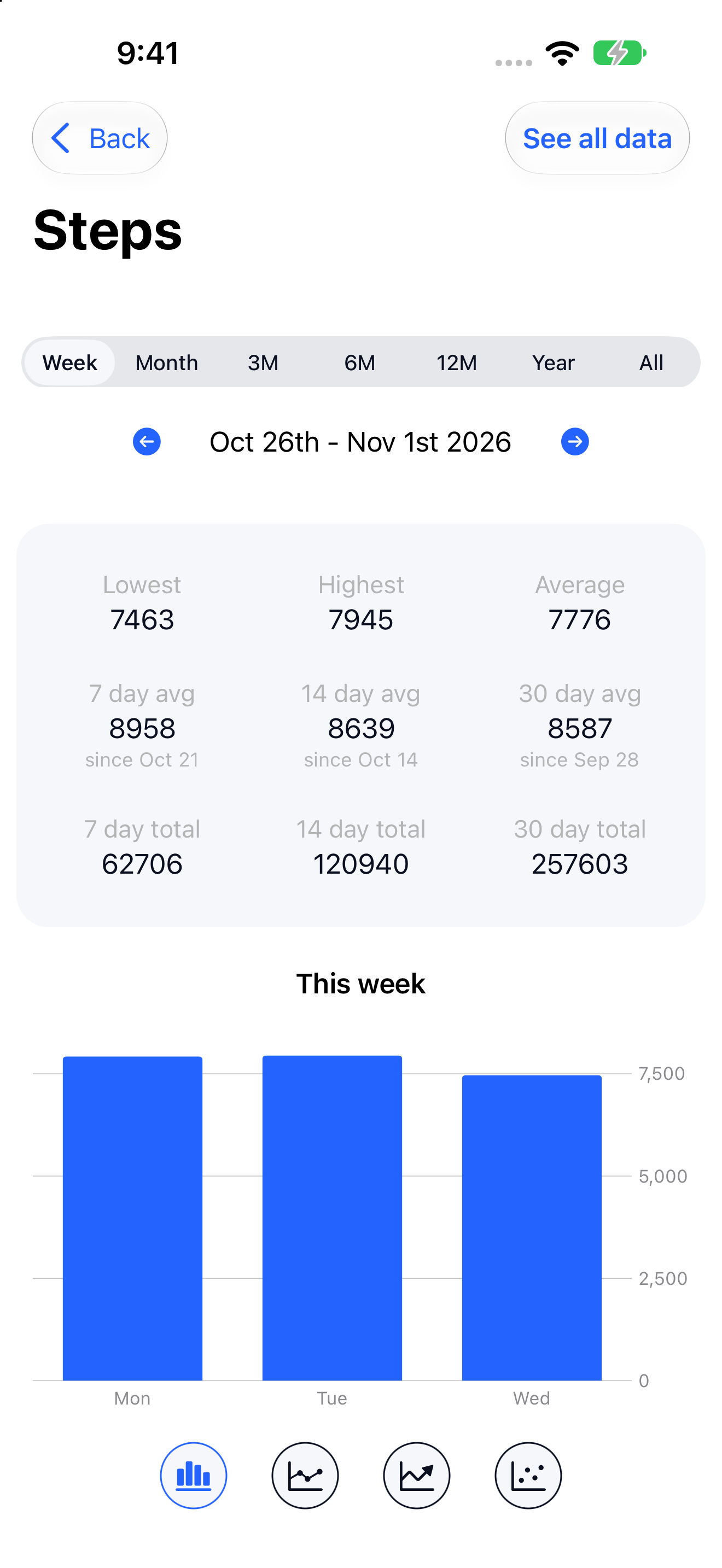
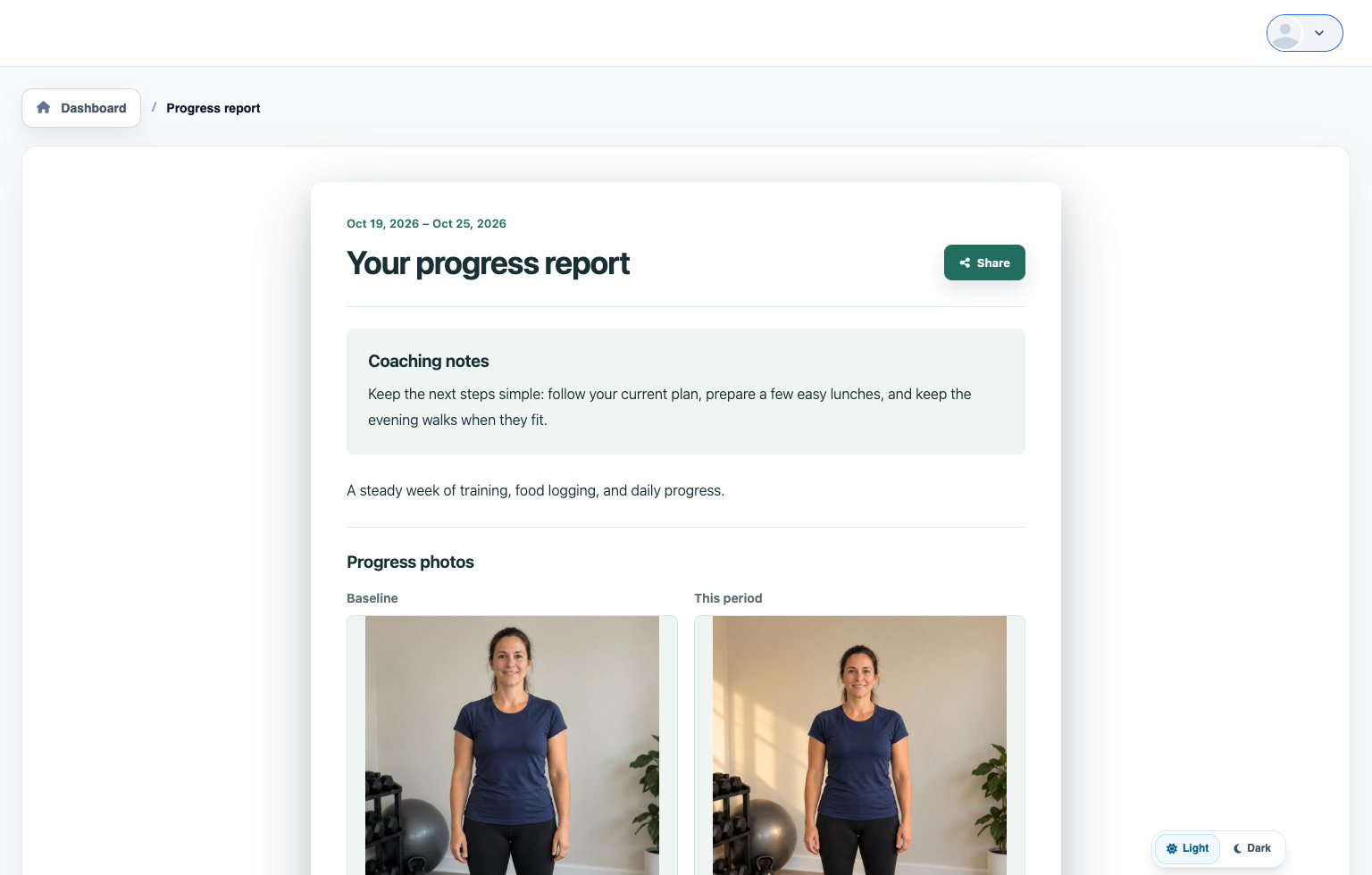
For example, they can track steps, weight, sleep, resting heart rate, heart rate variability, VO2 max, exercise minutes, flights climbed, workouts, nutrition, and more. The screenshots show just a few of the choices.
Switch between Day, Week, and Month, open a widget’s history, and compare recorded values with targets.
You choose what goes into a progress report, such as photos, training, nutrition, measurements, consistency, and your notes.
03 / APP AND WEBSITE
Clients can switch between the app and website to open saved check-ins, messages, plans, reports, and more in the same coaching account.
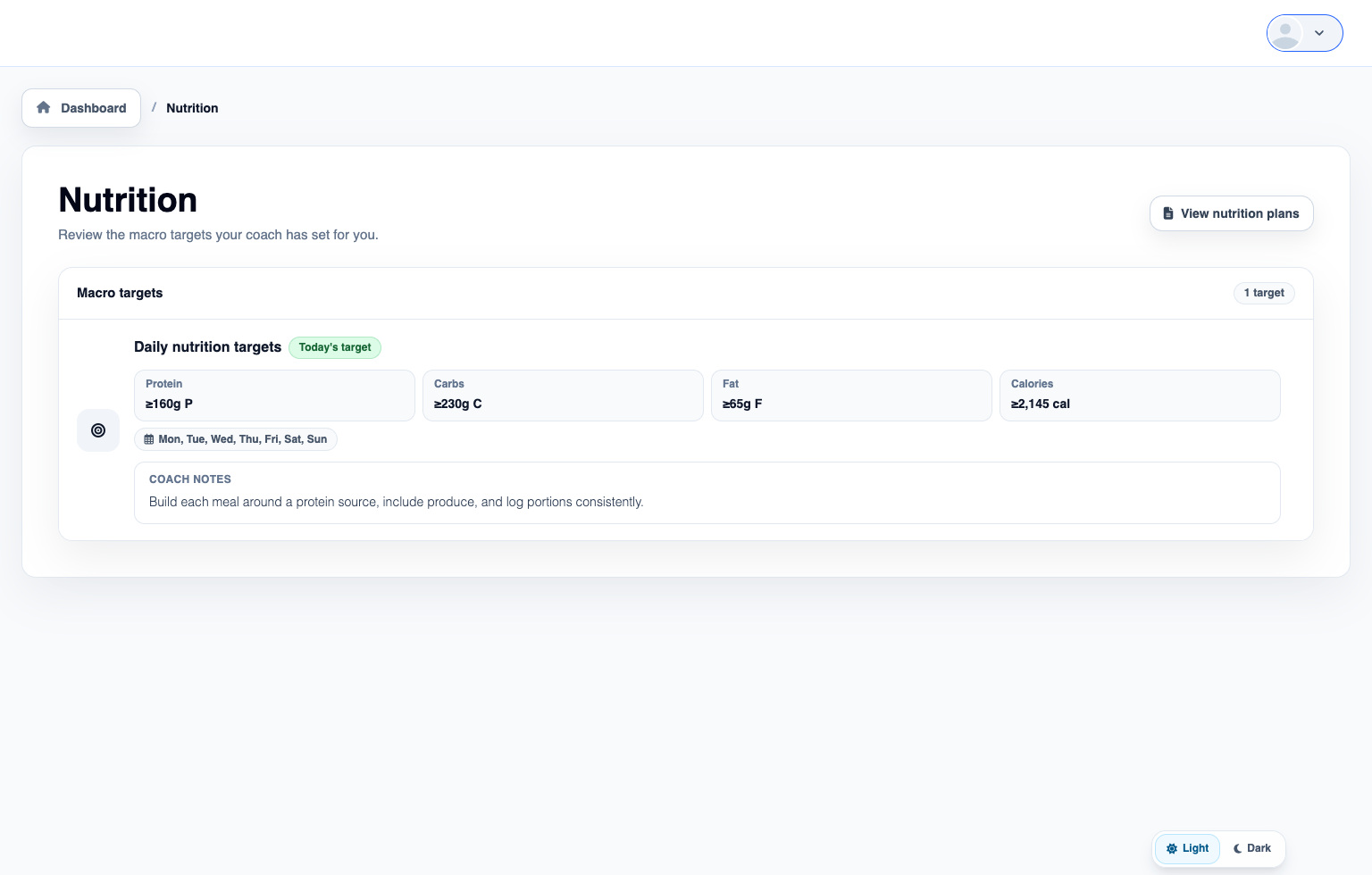
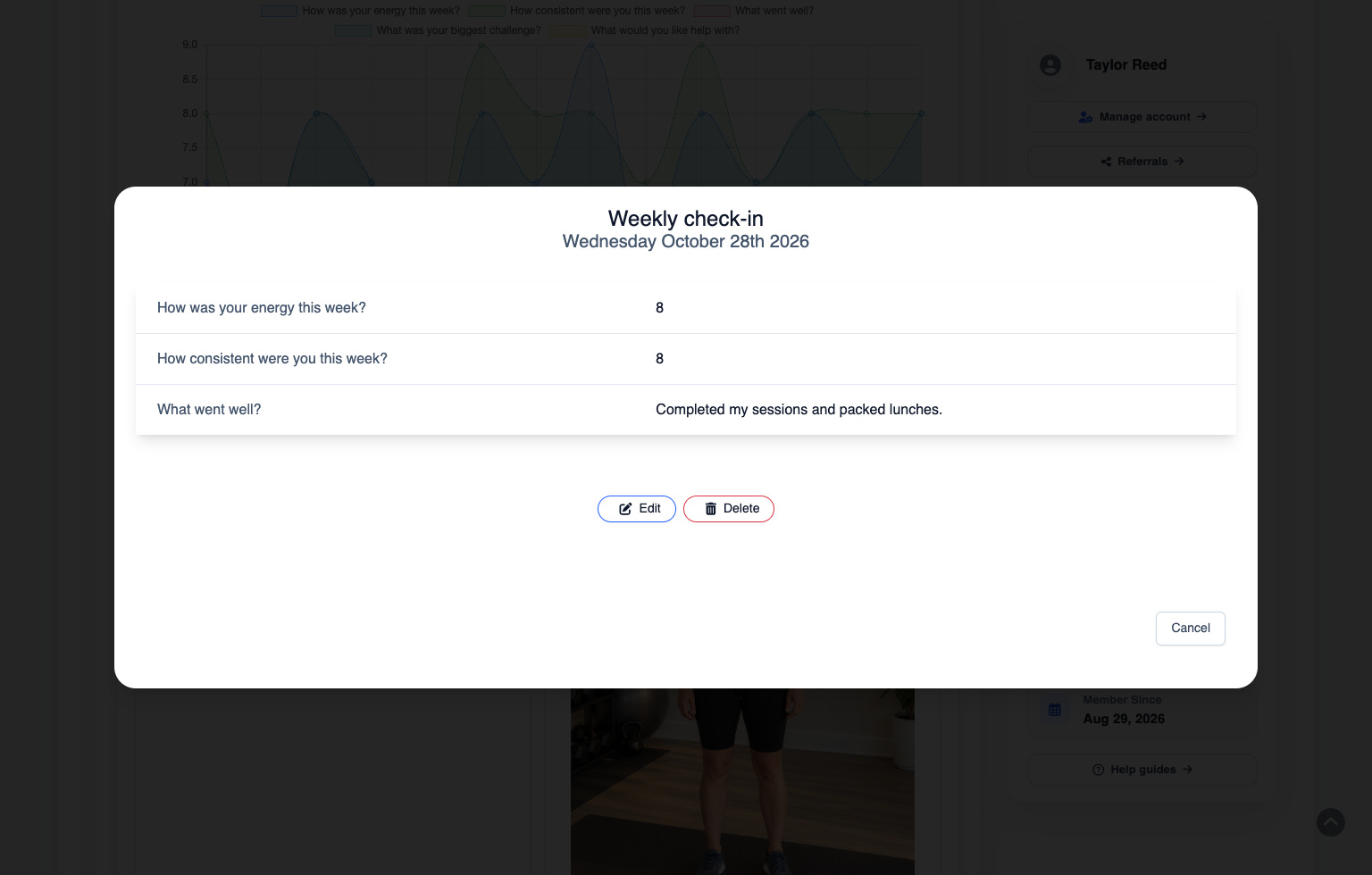
Clients can complete check-ins, reply to messages, follow their plans, and open the other content you’ve assigned.
A saved check-in or published progress report is available in the app and on the website. For example, they can submit a check-in on their phone and open it again on their computer.
Clients use the app to log food and see connected Apple Health data. The website has their nutrition targets and plans, with information such as logged intake available in check-ins and progress reports.
You can give clients access to billing information, order history, credits, purchase options, referrals, and other account details.
04 / YOUR COACHING SETUP
Set up the app and website for fitness, nutrition, or contest prep coaching. You decide what each program includes, and clients choose their own progress widgets.
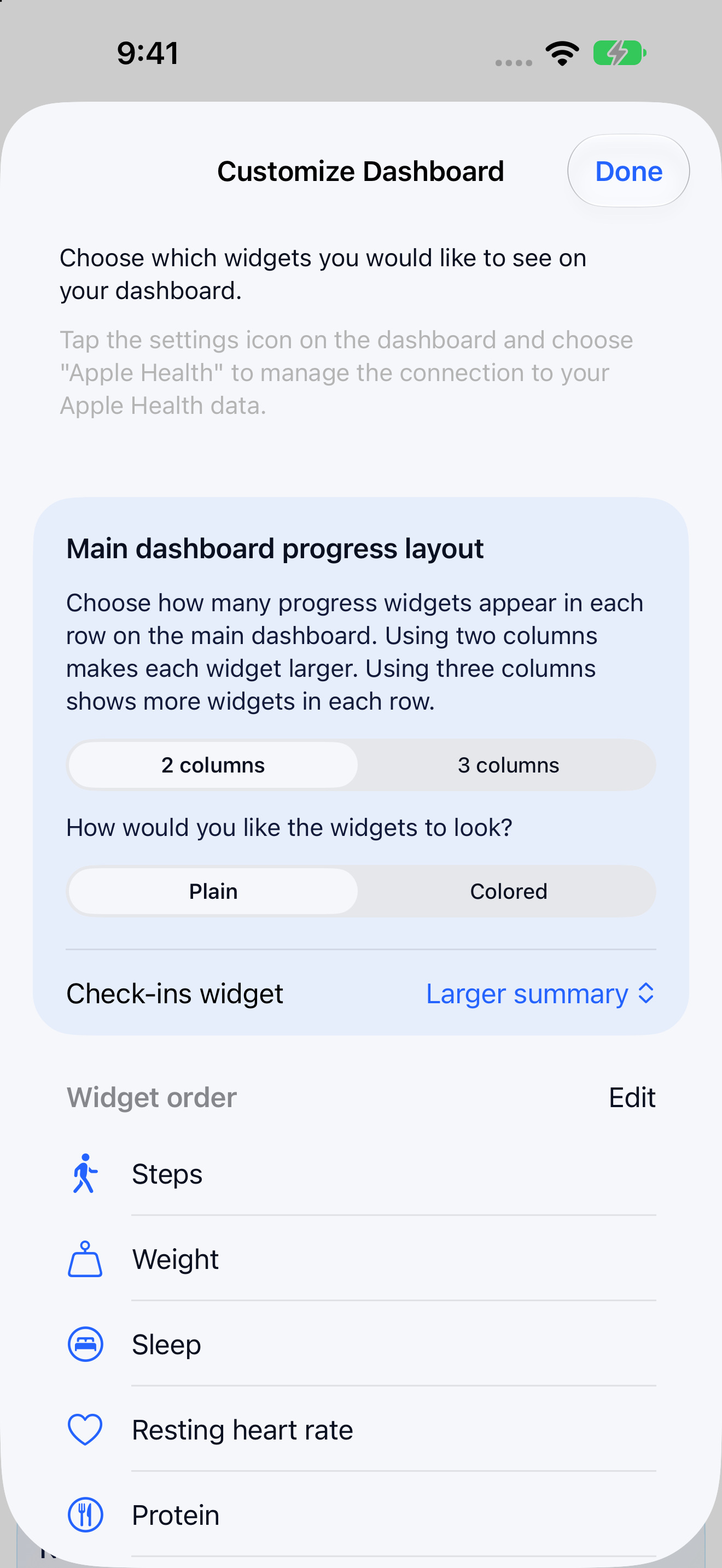
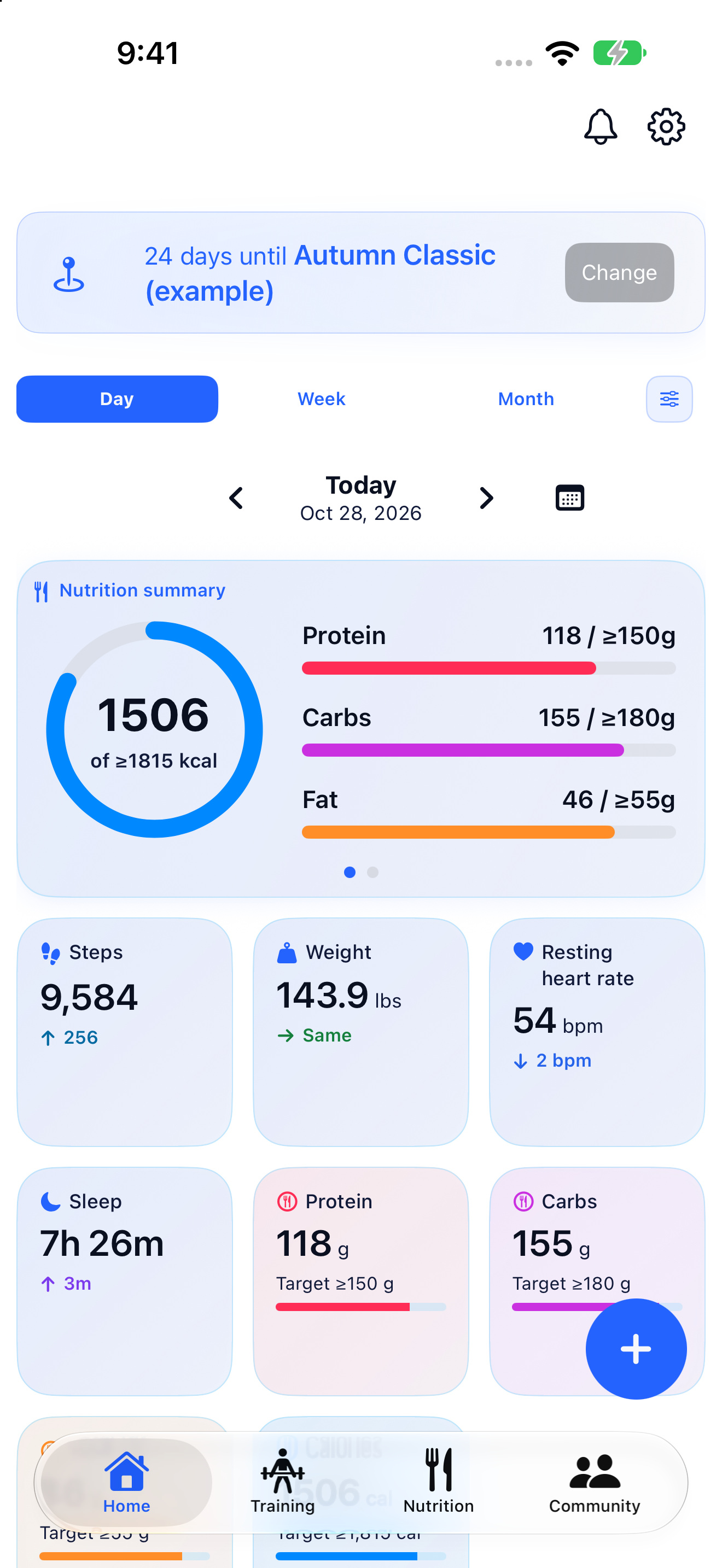
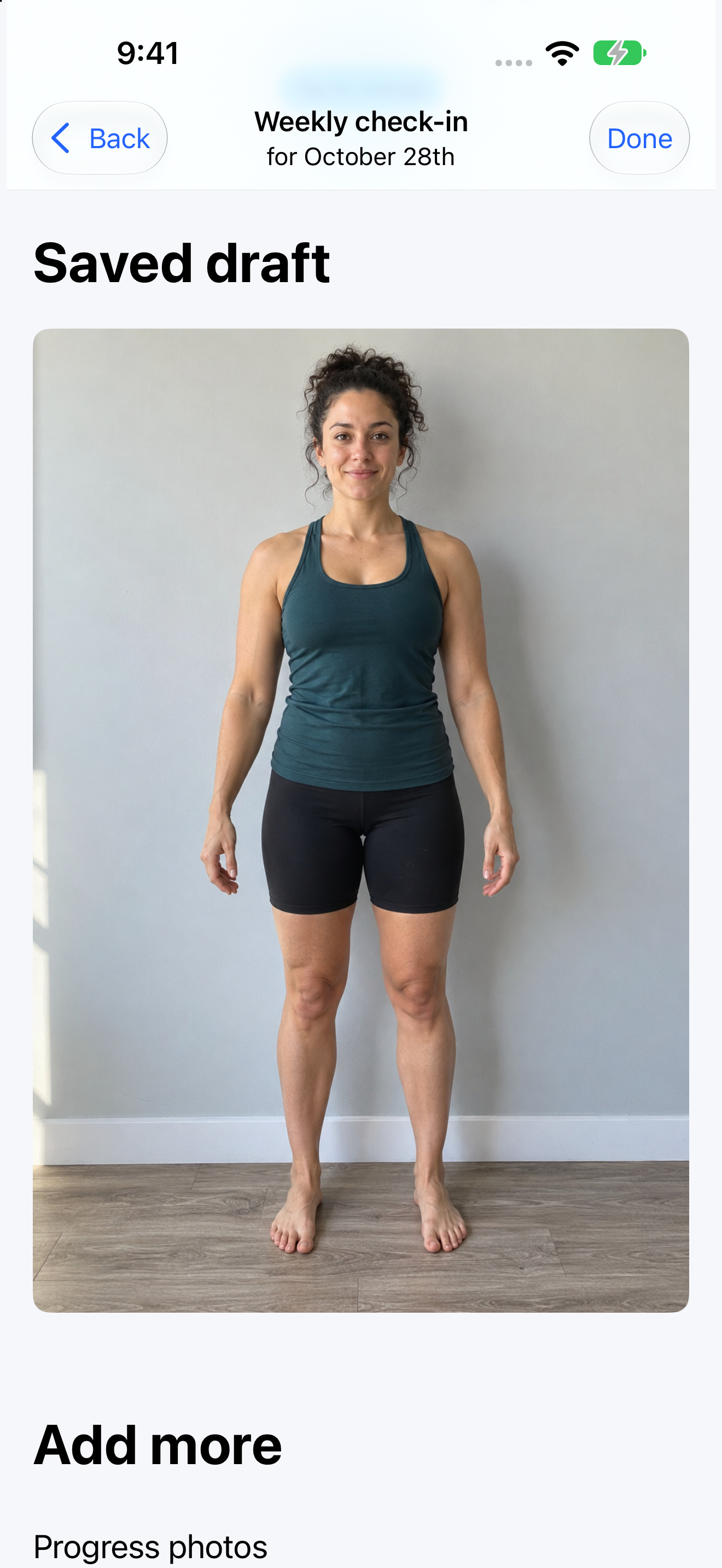
Assign the plans, check-ins, forms, resources, community access, and anything else you want to include.
Clients can select and order their progress widgets, choose two or three columns, change colors, and choose how their check-ins appear.
For example, prep clients can see their show countdown, submit photo check-ins, follow their training, and track nutrition targets and measurements. You choose what their prep includes.
CLIENT DASHBOARD VIDEOS
See examples of what clients can have in their app and website dashboards, and how you can set them up for your coaching.
Start your free trial
Try the complete platform free for 14 days.
{{ modalAsset13Options.audienceLabel }}