Use the app, website or admin
Clients and team members can ask for help from the tools they already use.

SUPPORT FOR CLIENTS, COACHES AND STAFF — ALL IN ONE PLACE
Let clients, coaches and staff ask for help from the app, website or admin. Keep every message, file and follow-up together, while the right person handles each request.

01 / GET SUPPORT
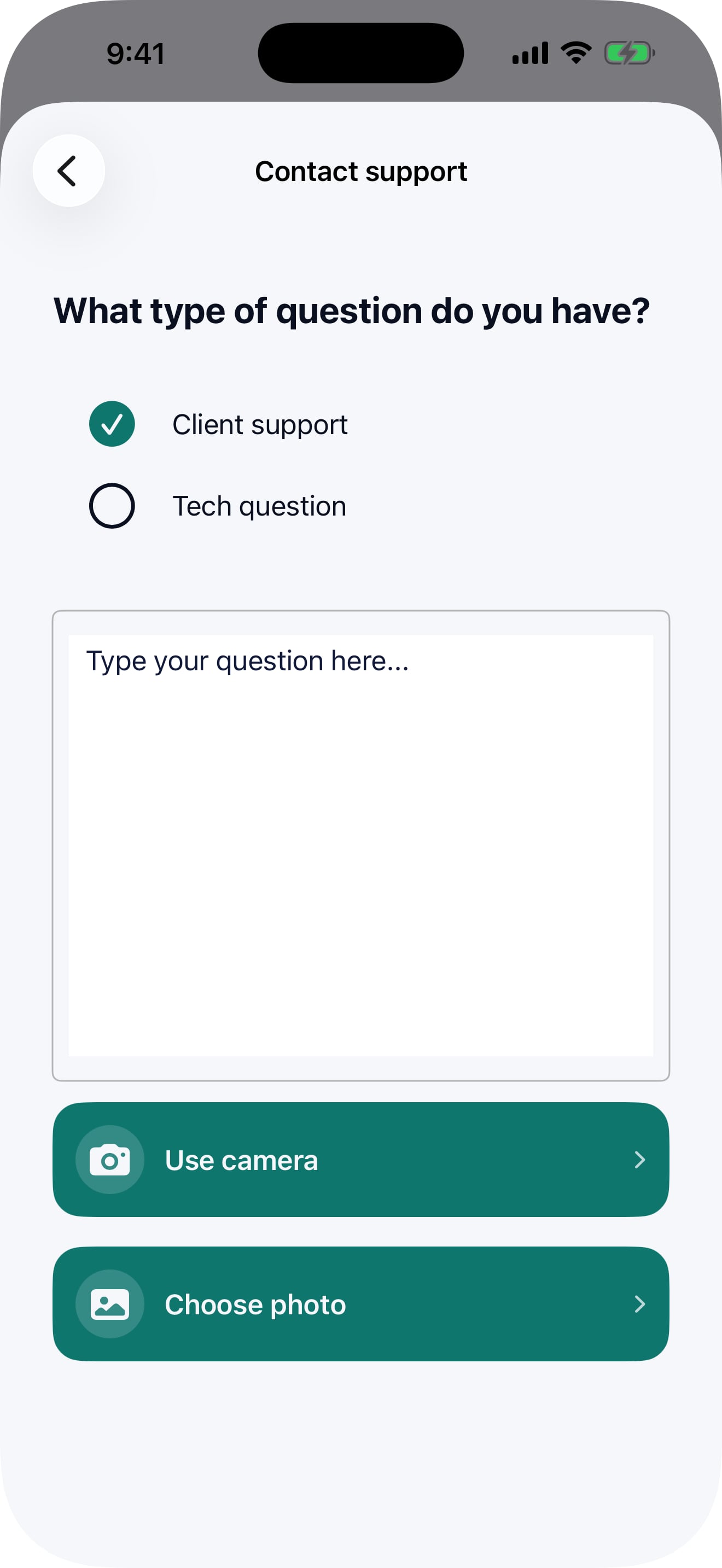
Clients can open a ticket in the app or on the website. Coaches and staff can send one from any admin screen, and everyone can follow every reply in one place.
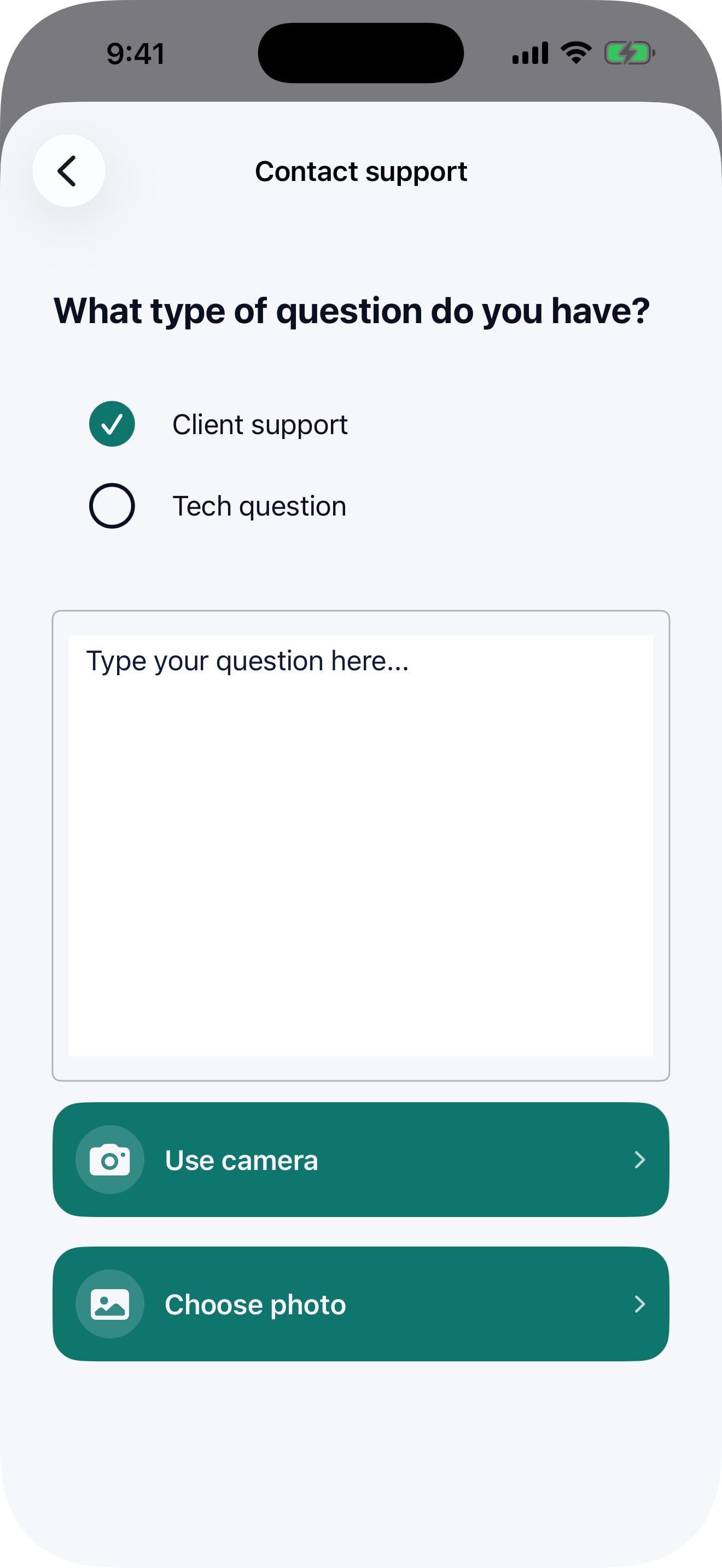
Clients and team members can ask for help from the tools they already use.
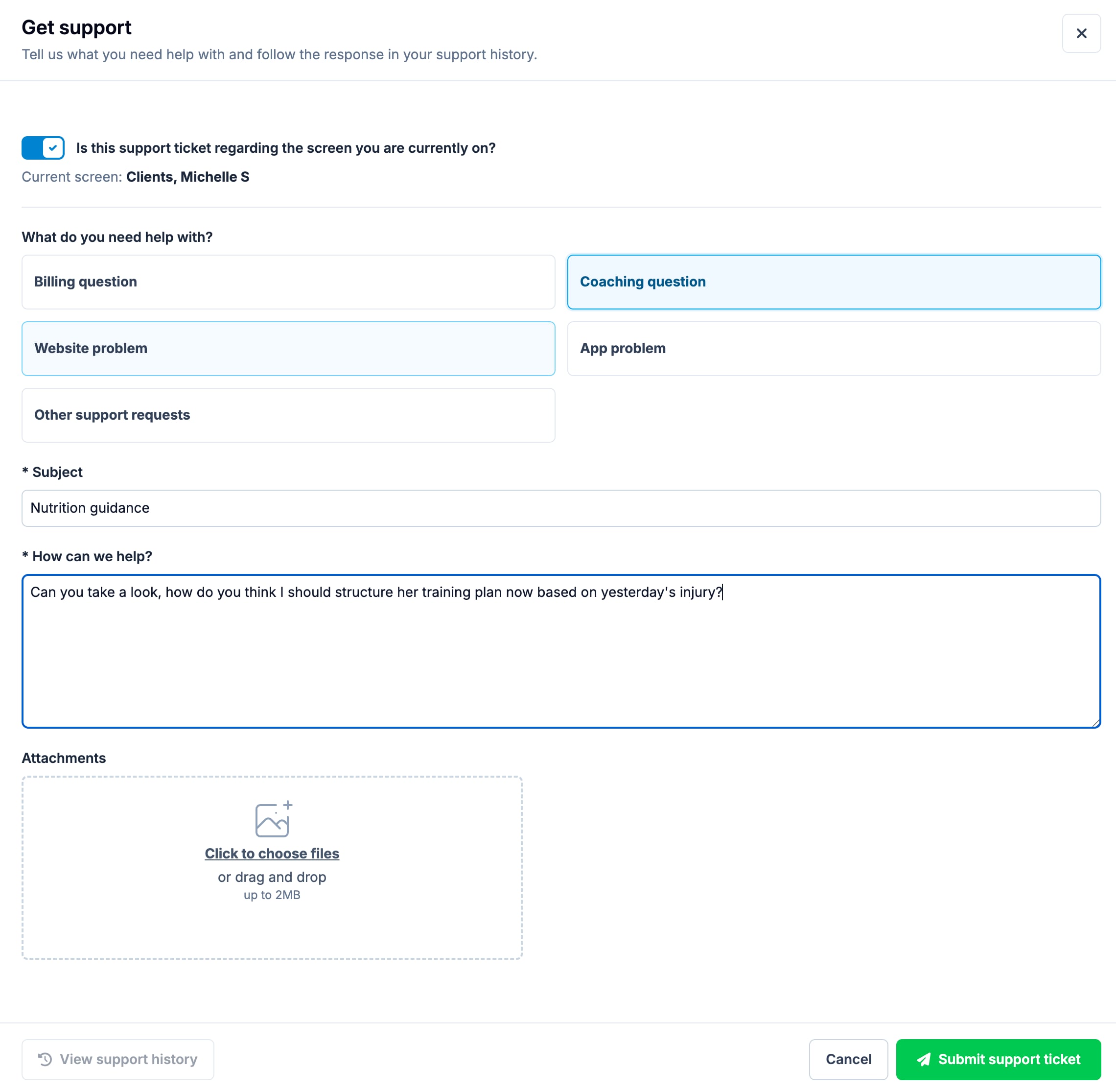
Clear request types make it easy to send each question to the right place.
Coaches and staff can show exactly what they are working on when they ask for help.
Attach screenshots, photos, PDFs, documents or spreadsheets to explain the request clearly.
Add notes, reply and receive responses all in one place.
Open previous tickets, check their status and review every response.
Notifications take clients and team members straight back to the correct ticket.
02 / SUPPORT INBOX
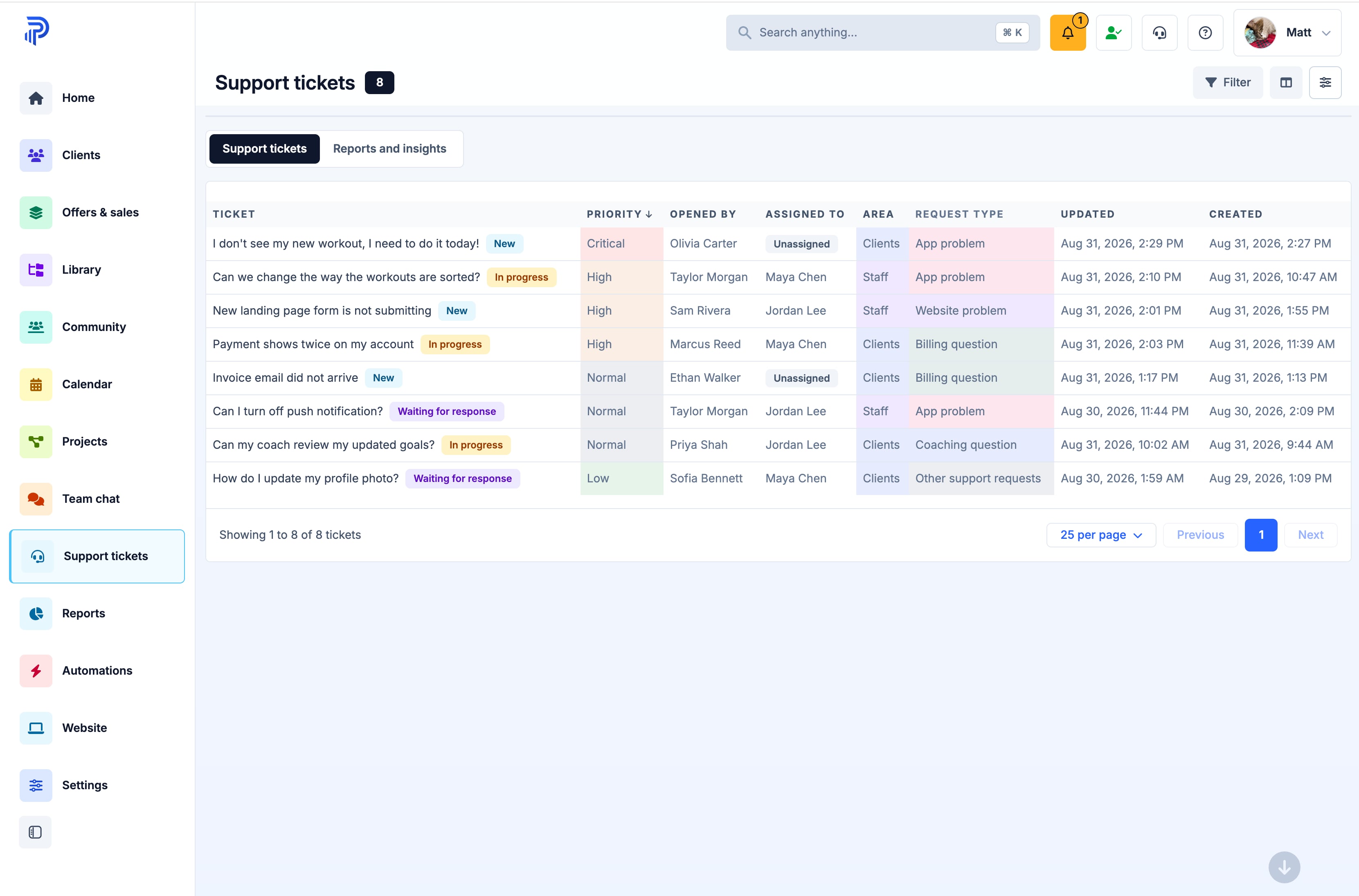
Your support team can quickly find the requests that need attention, open the full conversation and keep the next step clear.
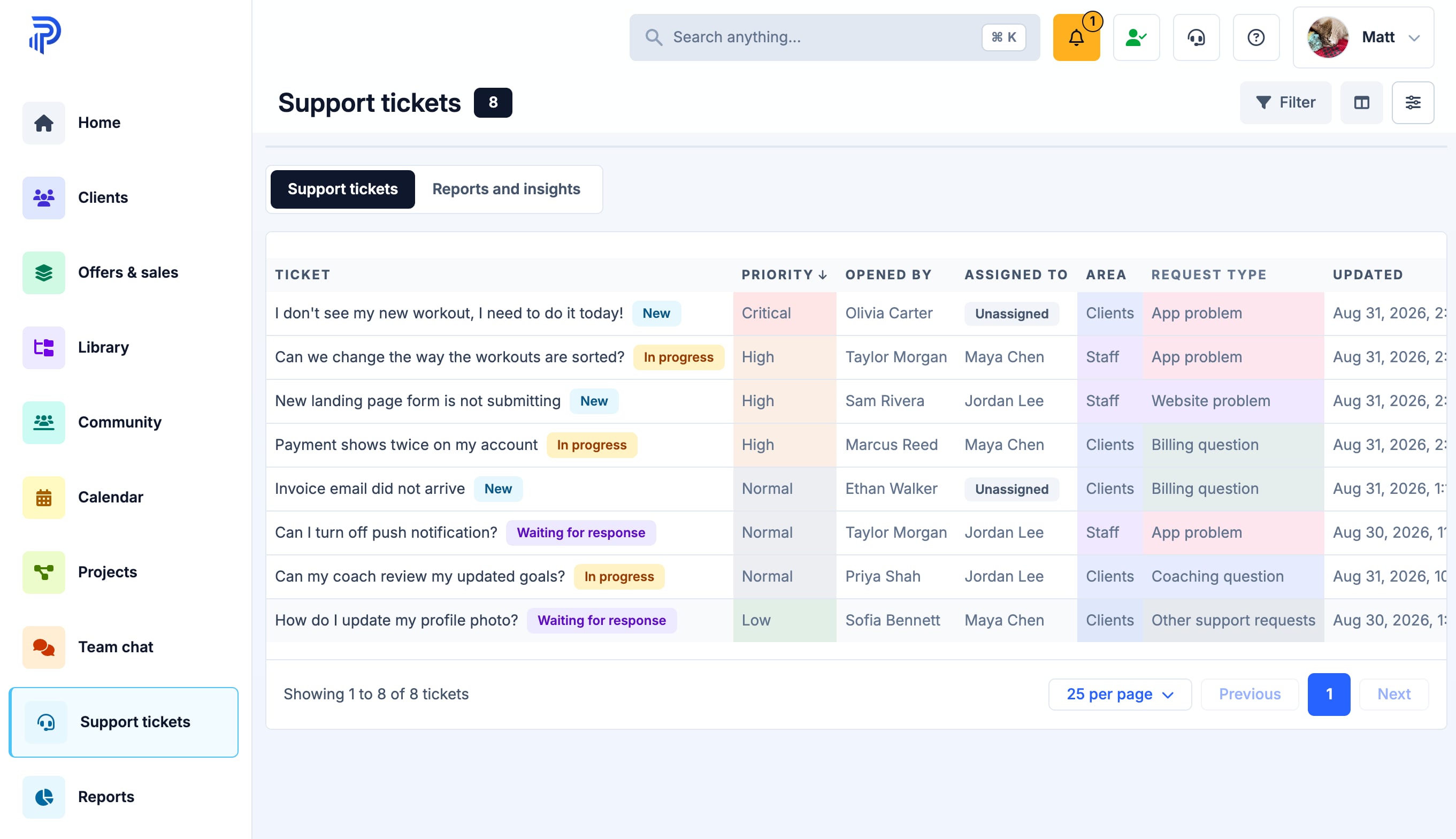
Prioritize tickets so that the important ones show automatically at the top.
Filter by status, area, request type, priority or who is responsible.
Know who opened each ticket and who is responsible for processing and answering it.
Read every message, attachment, note, update, escalation and the full ticket history in one timeline.
A couple clicks in the admin to keep the next step clear and make sure nothing is forgotten.
03 / TEAM WORKFLOW
Set up areas, request types, priorities and responsibilities to match the way your team handles support.
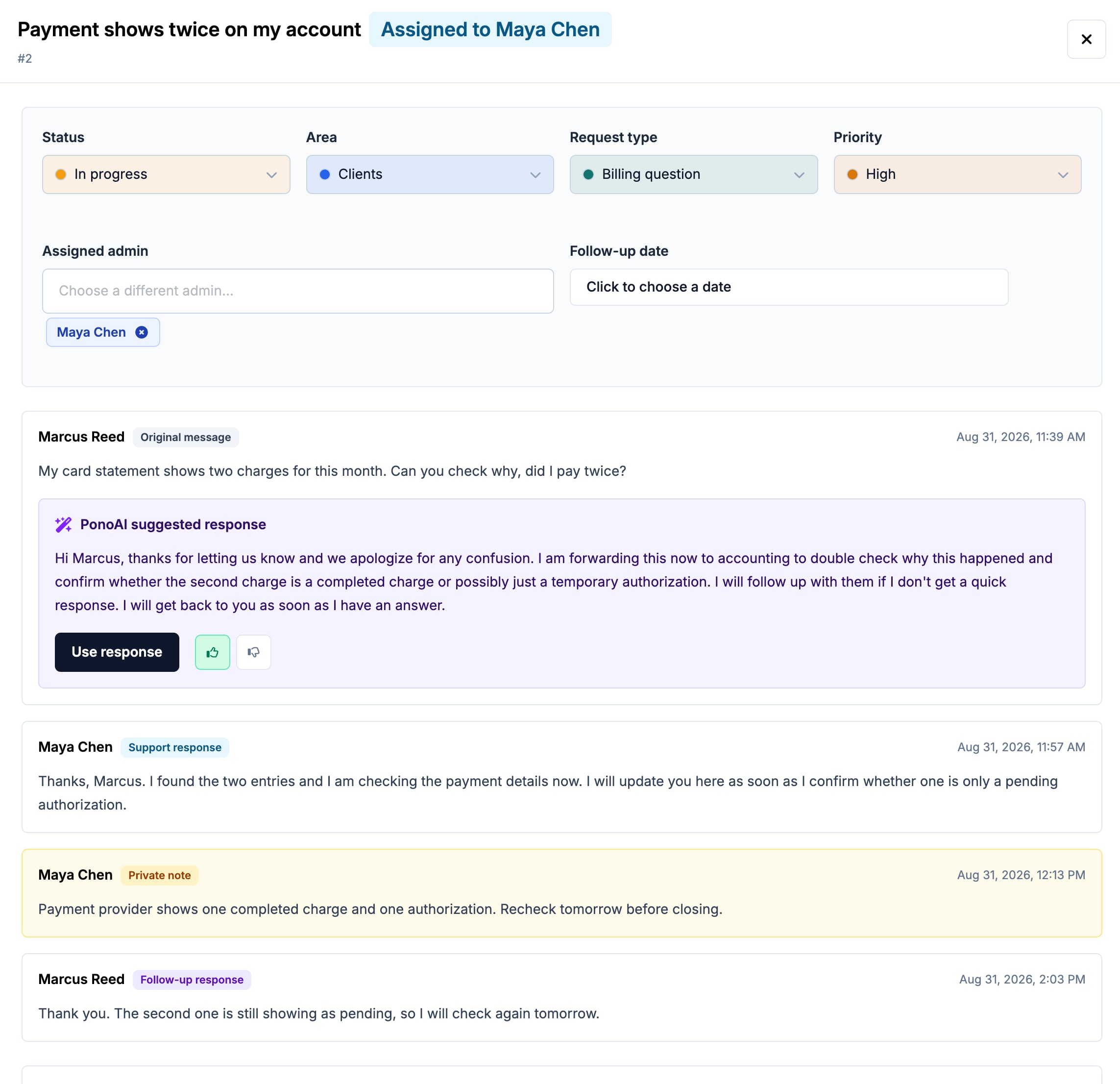
Organize requests around the main parts of your business that need support — for example, "Clients" and "Staff"
Create request types any type of support — for example, "Billing question", "Coaching question", or "Technical issue"
Give each request type the right starting priority.
Send new requests directly to the correct people to handle them.
Assign a specific staff member and follow-up date whenever a request needs personal attention.
Reply to the person who opened the ticket or leave an internal note for your team.
Make an optional agreement with Pono support for us to handle all tech tickets for you.
04 / PONOAI ANSWERS
After a client or team member sends a message, PonoAI can prepare a concise reply — and present it for your support team to review, or even automatically send it.
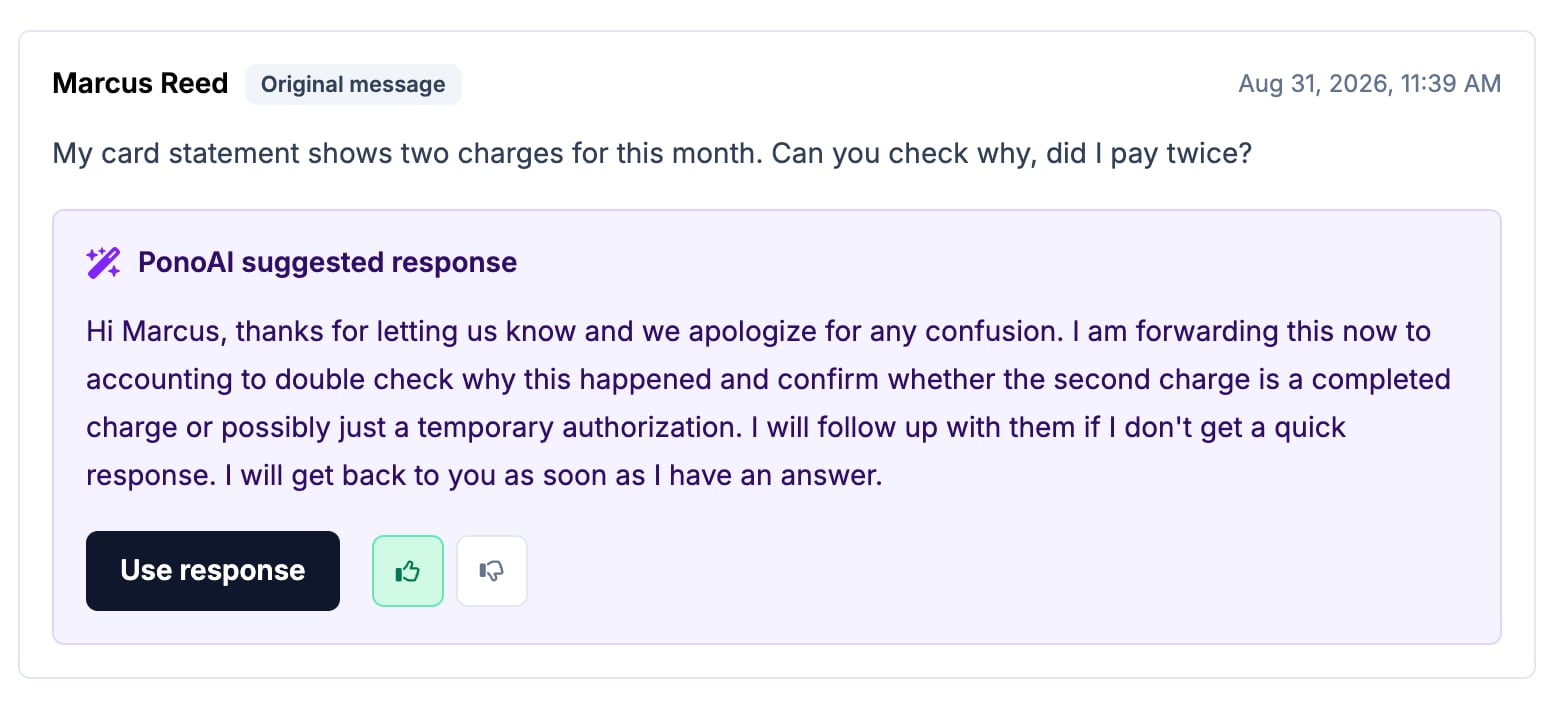
PonoAI prepares a helpful draft based on the ticket and the guidance you provide. Your team stays in control and decides what the final reply says — you can take the response with one click, edit it as needed, then send when you're ready.
If PonoAI is confident that it can answer fully and correctly then it can automatically send the message, without you even having to check it. You can easily turn this on or off.
Upload your own documents as a blueprint to guide PonoAI's answers, so that it replies just like you would.
Choose which guidance documents apply to each audience — so your coach's and staff questions are answered based on one set of information, your client's questions based on another.
Give one click feedback to PonoAI's responses and it will learn exactly how you want to answer, then get better over time.
05 / REPORTS & INSIGHTS
See the current workload, how quickly requests are answered, how well PonoAI is working, and where your team is spending its time.
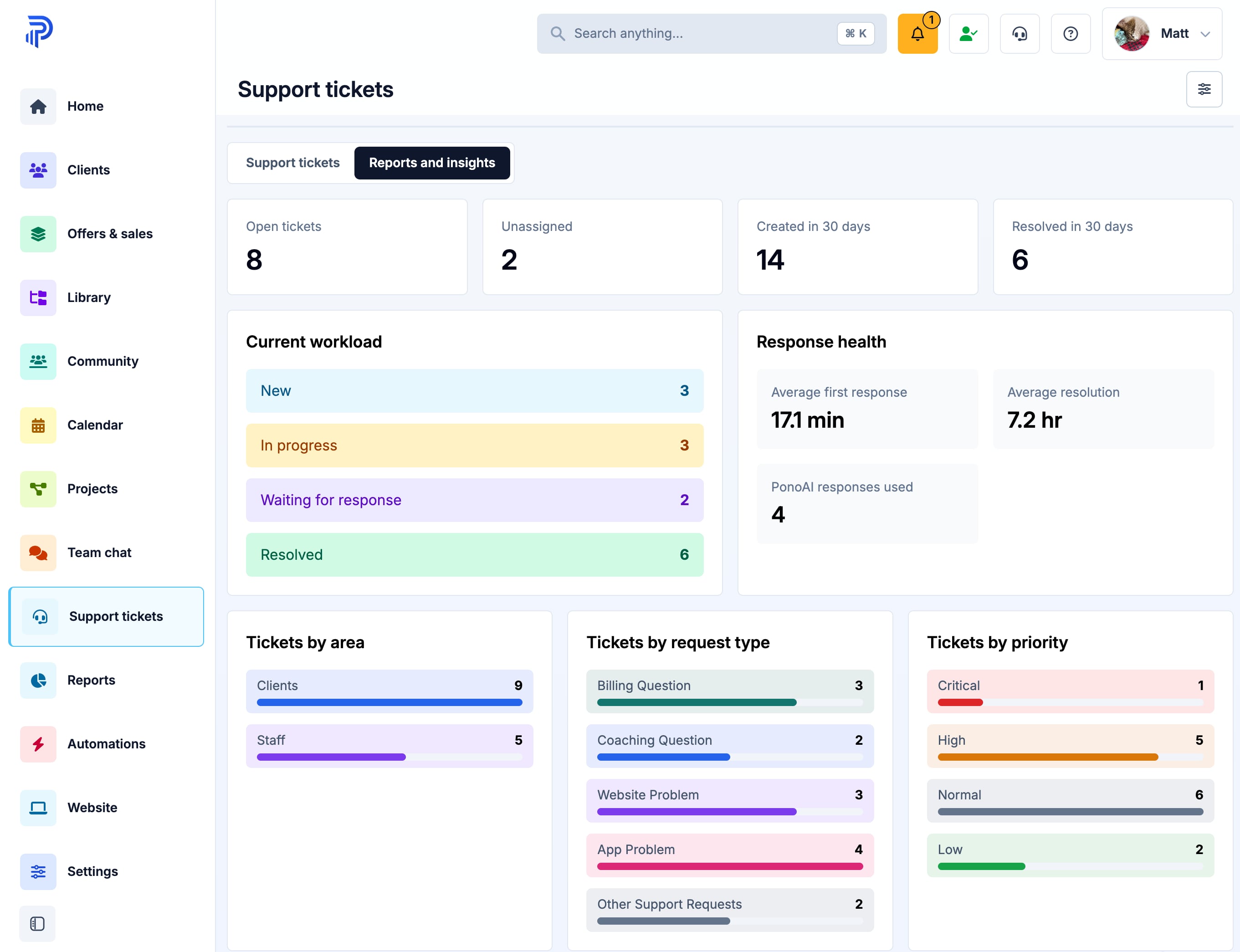
Know what still needs attention and which requests need to be assigned to a team member.
Review how many requests are coming in and how quickly and efficiently they are being resolved.
Understand how tickets are moving through your support process.
See how long people usually wait for the first reply.
See how long it usually takes to close a request, and which team members are performing best.
Compare tickets by support area, request type and priority to easily see which areas need the most attention.
See how your team rated the suggested replies.
Start your free trial
Try the complete platform free for 14 days. If you would like to chat first then book a demo and we can talk through your business, and how Pono can help you.
{{ modalAsset13Options.audienceLabel }}